This website uses cookies for visitor traffic analysis. By using the website, you agree with storing the cookies on your computer.More information

VisionX with Supabase

We are always looking for good solutions that can be used together with VisionX. A product like Supabase is definitely one of them.

Supabase is an open-source alternative to Firebase. It is a Backend-as-a-Service (BaaS) that provides developers with all the necessary backend functionalities to quickly build modern web and mobile applications without having to manually manage servers.

Key Features

  • PostgreSQL Database
  • Authentication
  • Real-time Updates
  • Auto-generated APIs
  • Storage
  • Edge Functions

You can find the source code on GitHub, and the Docker-Compose files are also ready to go.

However, we tried the online version and simply registered for the Free Plan. The registration is very easy, and you are ready to go in 2 minutes. After registration, you simply create a new application with VisionX and connect it to the database using a custom data source.

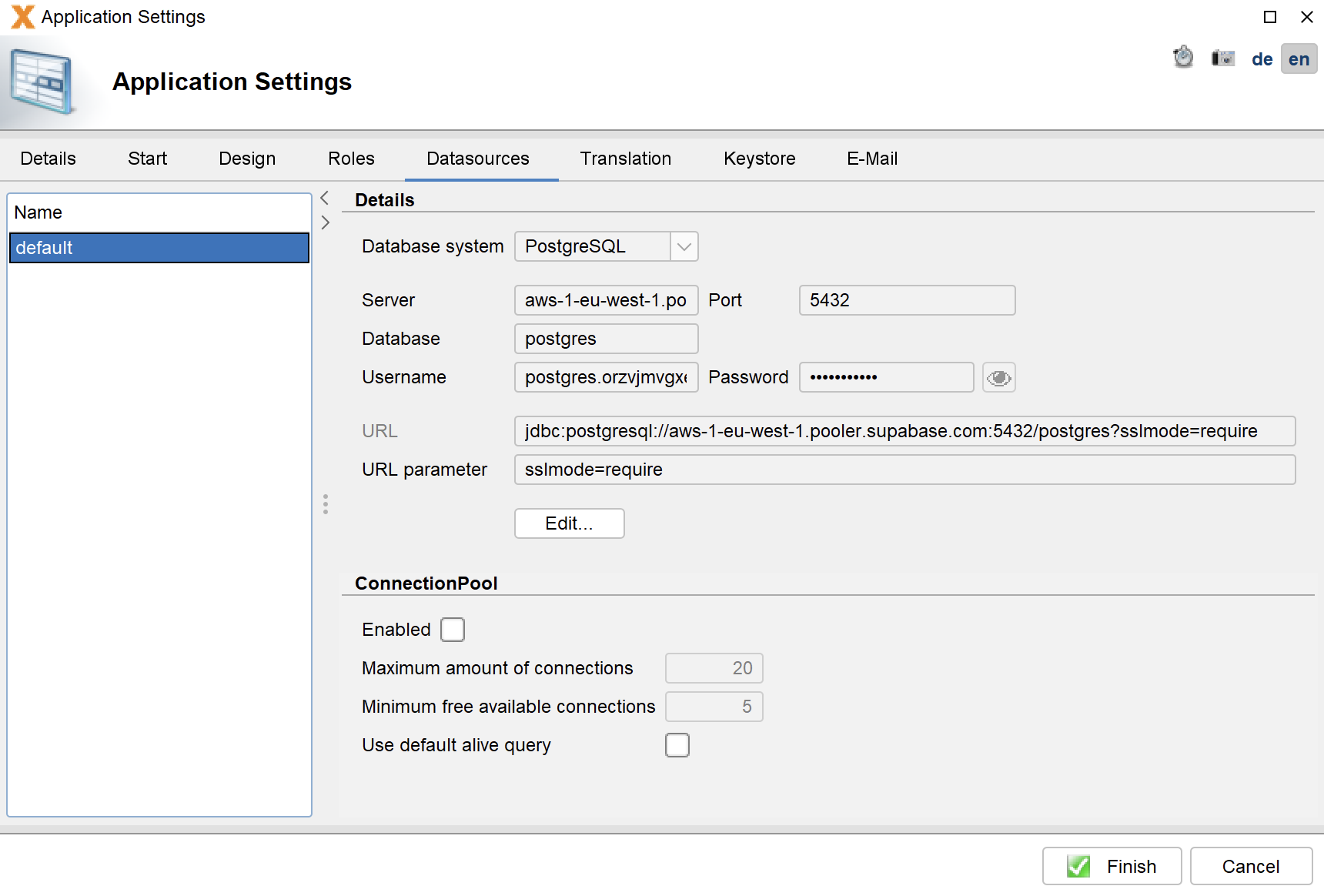
The most complicated part was finding the URL. In our case:

Supabase connection

Supabase connection

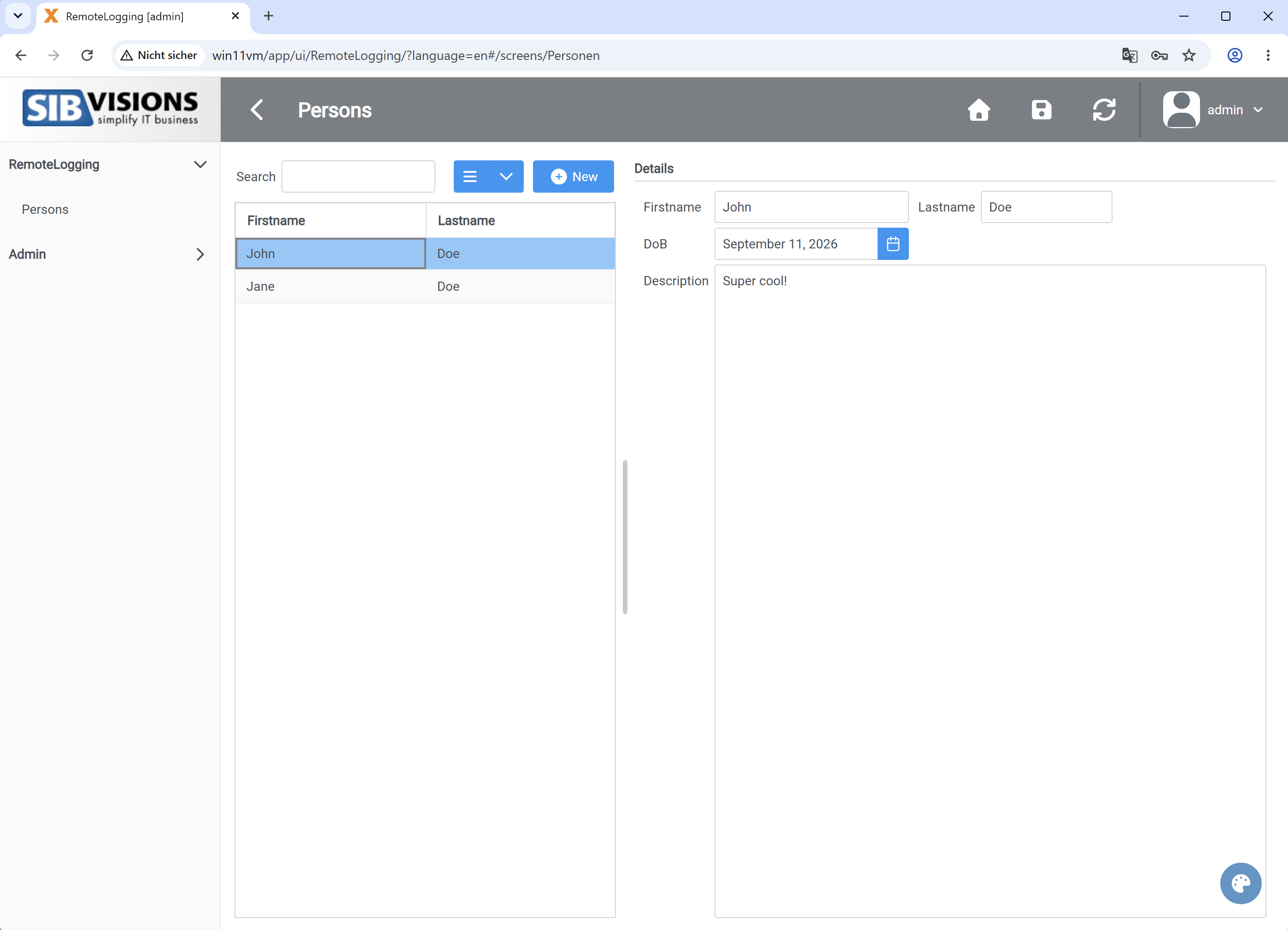
After the Supabase connection was configured, VisionX could be used as usual. We created a person mask for entering first name, last name, date of birth, and description. This was a simple test mask without any complex logic.

We then tested the features of the Supabase interface (creating new columns, modifying data, creating data models, REST API) and found no problems. Supabase is a practical solution, especially for VisionX applications.

The only thing that could be improved is the table editor, because when editing a column, you have to keep the focus on the editor before pressing ENTER to save; otherwise, the original value is saved. However, this might actually be intended :)

Of course, we could also install it as a web application as usual:

VisionX screen

VisionX application

We spent about 60 minutes with Supabase and were able to utilize all features of VisionX fully. The logging features and statistics provided by Supabase are particularly handy.

Our conclusion: VisionX and Supabase are a match!

Flutter 3.47 support

On August 12, Flutter 3.47 was officially released, bringing a wave of exciting changes and brand-new features.

We always strive to keep our Flutter client as up to date as possible, so we took the plunge and upgraded early. Even though not all add-ons have been updated by the community yet, our client is running quite well. We did have to patch a few AddOns ourselves, but the community will certainly release updates in the coming weeks.

Here are the add-ons we have updated and patched so far:

In our testing so far, we didn't encounter any limitations or major issues.

We would love to hear your thoughts.
Have you made the switch to 3.47 yet, or are you waiting for specific packages to update?

VisionX App 3.4.0 is available

Our VisionX App v3.4.0 has officially landed in the app stores. Over the past few weeks and months, we have poured a ton of energy into feature development, and it has truly paid off. With the new release, building sleek, custom applications is easier than ever. We put together a quick video to show you what we mean.

In the video, you will see a password management app built with 3 core screens: Secrets, Security Protocol, and Feedback.
The entire application was built and deployed with VisionX in just 20 minutes.

The first 30 seconds of the video show the menu and Secrets screen in their raw, out-of-the-box state. The app is fully functional right away, but there is plenty of room for visual polish - and that is where the magic happens starting at second 31.


First, we drop the header background color and hide the menu grouping, since small apps do not really need category groups anyway. Next, we update the global application color, which instantly propagates across all screens including Secrets.

Since the Secrets screen has its own header background, we clear that as well. By default, it features a search field, a button, and a data table. To save screen real estate, we convert the label into a sleek placeholder text with a magnifying glass icon, then align the search button directly beside the field. While tables are useful, a card-style list fits sparse data much better, so we swap the table for a list, color-code alternate rows for readability, and add dynamic icons.

The result is a clean, modern aesthetic that looks infinitely better.


Next up: the input form. Originally, it takes a traditional approach with standalone labels, input fields, and standard action buttons. Works fine, but with room for visual improvement. To modernize it, we integrate labels directly into the fields as placeholders, remove full button borders for a subtle look, and add a live password strength meter. We also tweak the required field color so it blends seamlessly with the new theme, and finish off with a clean border frame around the image.

The application now feels completely redesigned, fresh, and polished.

The absolute best part?

No rebuilding or new app deployment was required - just pure styling updates. The app dynamically adapts to whatever configuration you define.


For instance, switching from a table to a customized list is done in a single line:

tableSecrets.setStyle(new Style("f_as_list", "f_as_card_flat",
                                "f_with_arrow", "f_list_columncount_1_1",
                                "f_list_columnseparator___"));

With just three simple calls:

layoutSearch.setResponsive(Boolean.FALSE);
layoutSearch.setLabelPosition(LabelPosition.Placeholder);

searchEditor.setStyle(new Style("f_icon_prefix_search"));

you refine the search bar by adding an inline search icon, setting placeholder labels, and docking the button inline.

To activate the dynamic password strength bar:

passwordEditor.addStyleNames("f_passwordstrength");

And to frame images cleanly:

imageViewer.getImageEditor().addStyleNames("f_standard_border");

Menu adjustments are handled directly in mobile_styles.xml:

<menu>
  <mode>grid</mode>
  <titleColor>#FAFAFA</titleColor>
</menu>
<screen>
  <titleColor>#FAFAFA</titleColor>
</screen>

And the list styling comes together with:

<theme>
  <color>#6B858E</color>
  <data>
    <list>
      <image>
        <noBackground>true</noBackground>
      </image>
      <card>
        <borderRadius>10</borderRadius>
        <backgroundOdd>#e0e9edaa</backgroundOdd>
        <backgroundEven>#d3dbdfaa</backgroundEven>
      </card>
      <arrow>
        <color>#a0a0a0</color>
        <size>18</size>
      </arrow>
    </list>
  </data>
</theme>


In just 10 extra minutes of styling, you can transform any application to match your exact brand vision and deliver tailored user experiences.

We rely on these features every single day.

More styling options are available in our documentation.

New war modification tool

We have a new, useful tool for you!

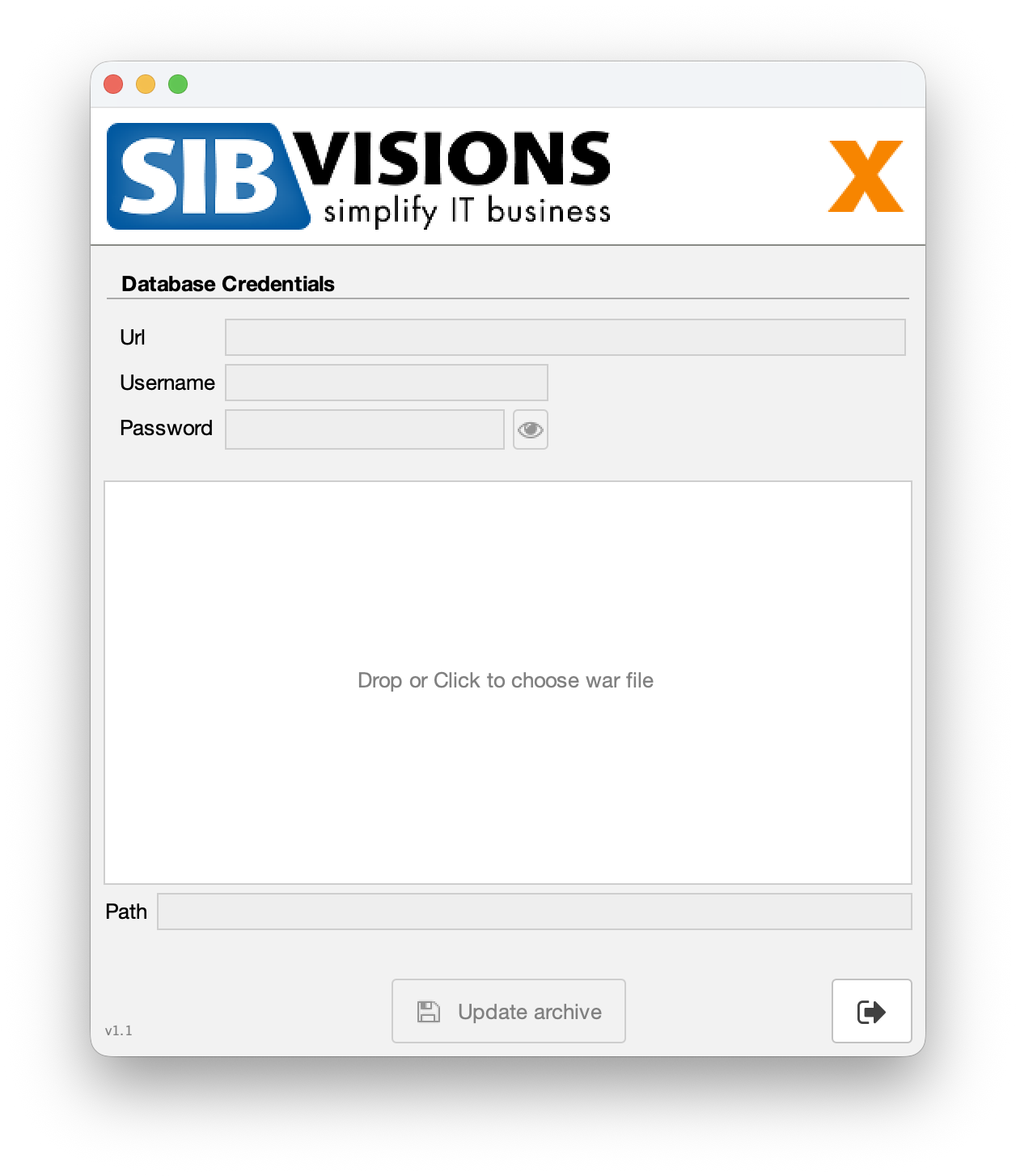
With it, you can change the database configuration in already created WAR files. Since the configuration is encrypted, changing the username or password usually requires you to replace the configuration or create a new WAR file altogether. While that isn't a massive effort, it is unnecessary.

That’s why we’ve created a small tool to save you a bit of time. You can use it either with a graphical user interface (GUI) or via command-line parameters without the GUI. The tool was developed as a desktop application using standard JVx and the Swing UI.

Here is what it looks like:

WAR modification tool

WAR modification tool

If you are interested in the tool, just let us know! ;-)

Flutter 3.44 supported

We're happy to announce Flutter 3.44 support for our native app.

The core app and library flutter_jvx was successfully migrated to the new build system. We currently have some warnings about missing Swift Package Manager support for the packages:

  • webview_cookie_manager_plus
  • push
  • open_filex
  • flutter_tts

and missing AGP support for:

  • device_info_plus
  • file_picker
  • file_saver
  • flutter_device_platform_id
  • flutter_timezone
  • flutter_tts
  • haptic_feedback
  • mobile_scanner
  • package_info_plus
  • push
  • screen_brightness_android
  • speech_to_text
  • wakelock_plus

But hopefully these will be solved by package developers in next few months.

This highlights the dependency on packages within the open-source community.
Without the great work of many individual developers, this kind of development wouldn't even be possible!

What are the benefits of switching to Flutter 3.44?
  • Perceptible performance gains

    The app is even smoother and faster than before. It looks absolutely amazing!

  • Future ready

    Support for latest device features.

  • Bugfixes

    Many bugs are only fixed in the latest version and won't be patched in older versions, like Keyboard toggle if you switch between input fields.

With latest core app, we fixed some smaller problems like table formatting and we introduced a nice feature:

Records available

Records available

The table shows if more records are available with two arrows in the right bottom corner. It's a small improvement but vey helpful :)

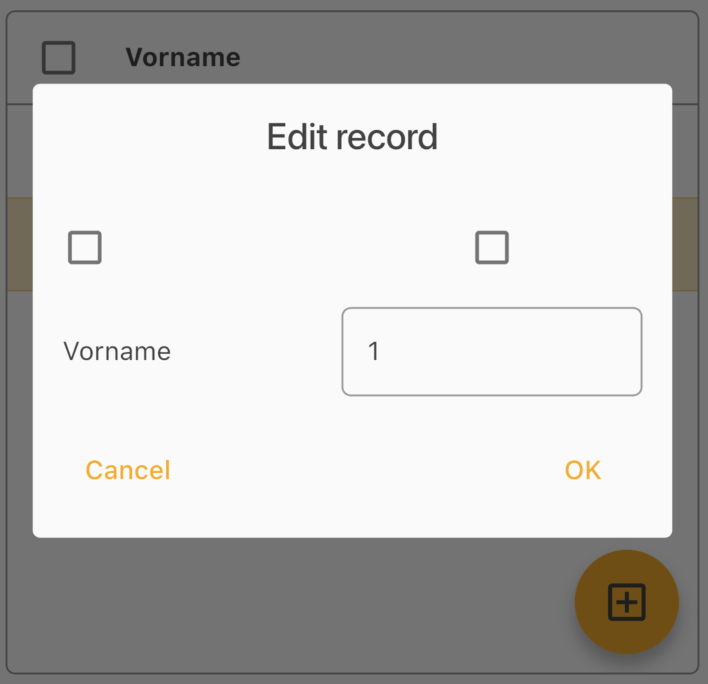
We also show a real checkbox in table edit dialog if you enable multi-line selection:

Real checkbox

Real checkbox

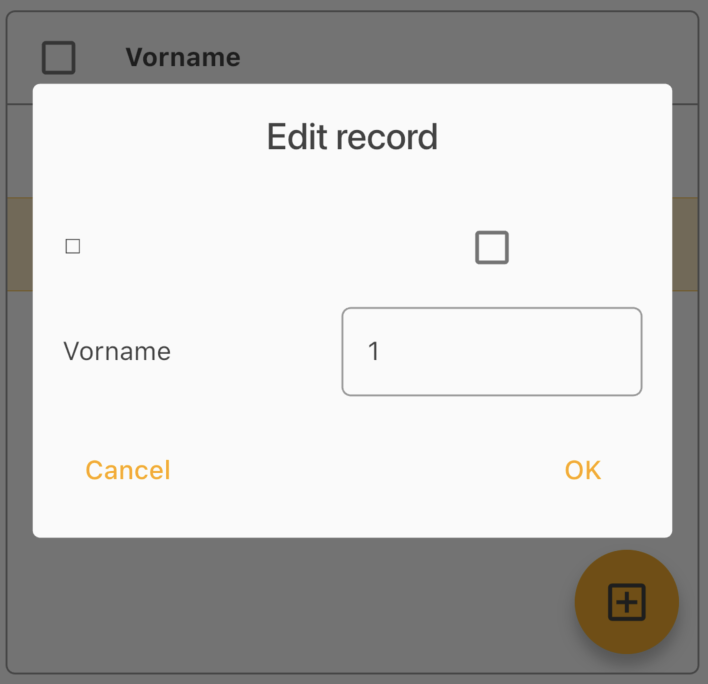
In older versions the checkbox was a UTF-8 font:

UTF-8 Checkbox

UTF-8 Checkbox

And last but not least, we pimped the menu a little bit.
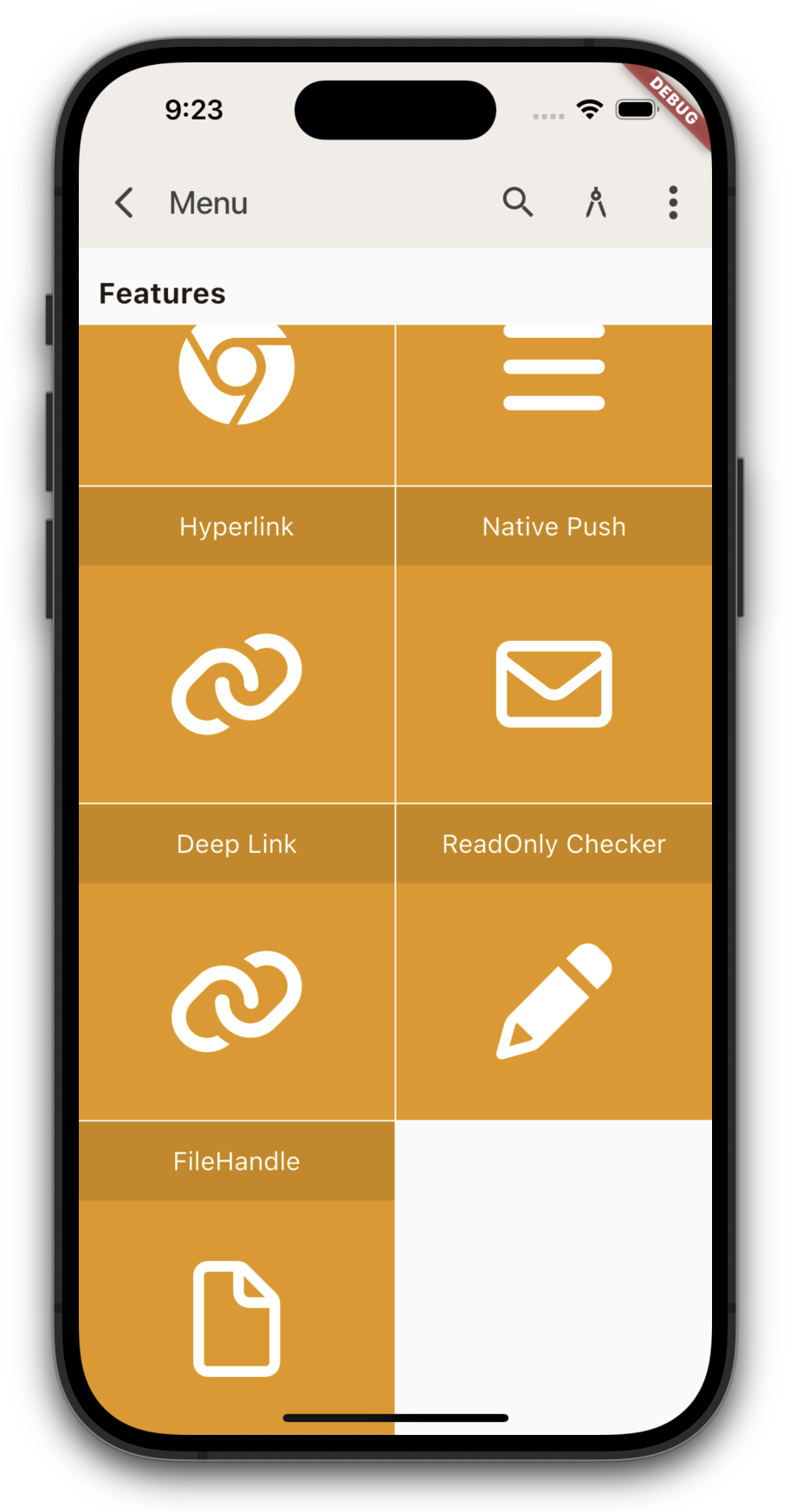
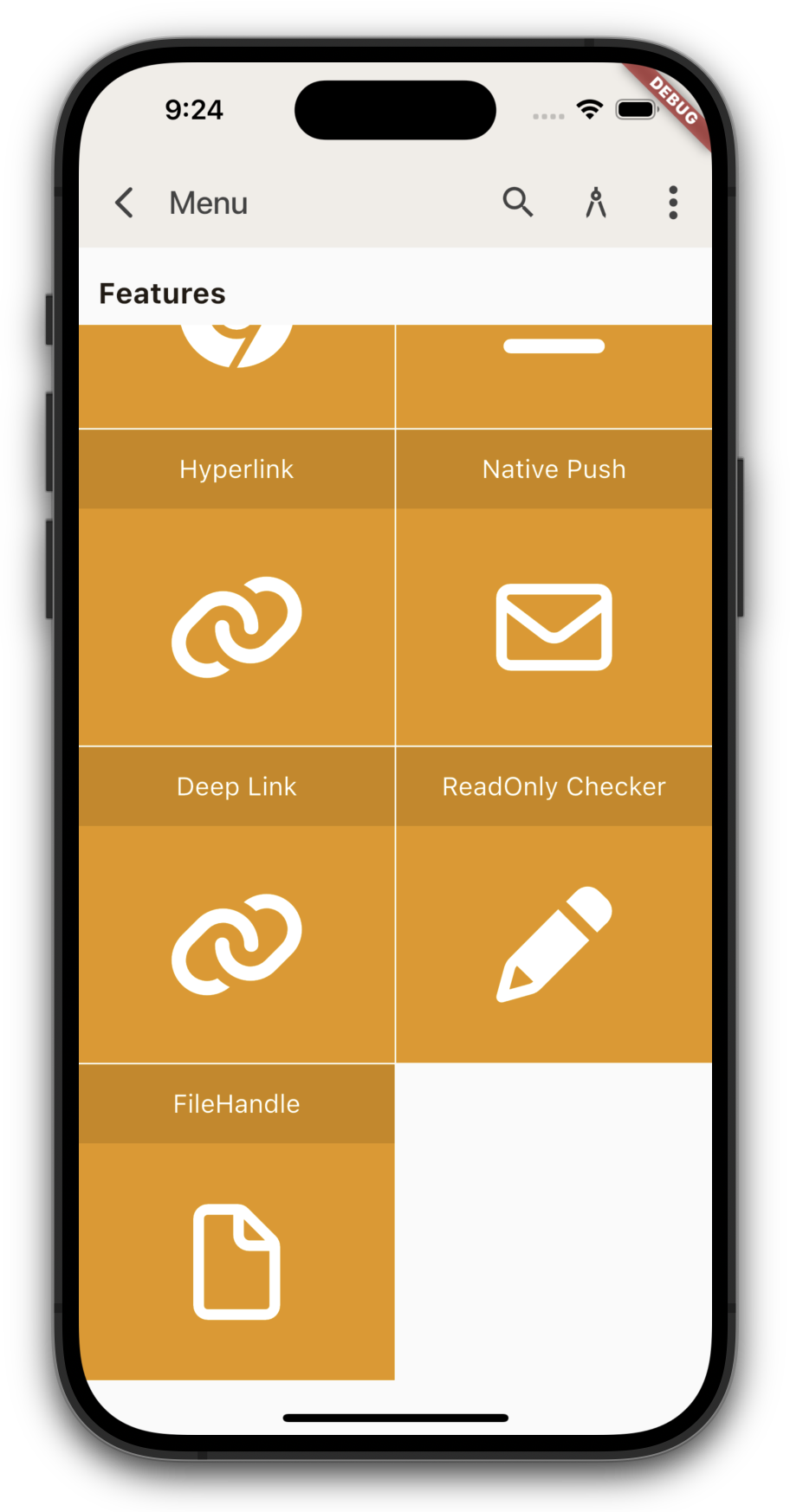
In previous versions, you couldn't scroll the last line of the menu up, which caused menu items to get cut off or overlapped on some devices. Now, you can pull the menu up a bit higher to prevent that from happening.

Menu (old)

Menu (old)

Menu (new)

Menu (new)

We'll be updating our app in the app stores soon.

Security protocol AddOn for VisionX

We proudly announce our brand new Add-On for upcoming VisionX 6.6: Security protocol

Security protocol Add-On

Security protocol Add-On

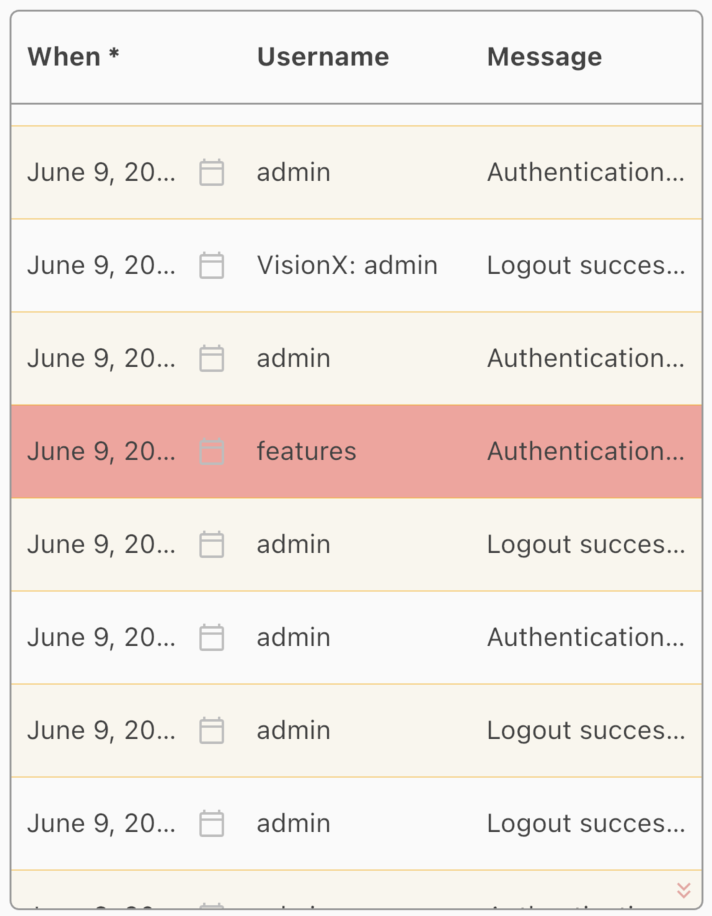
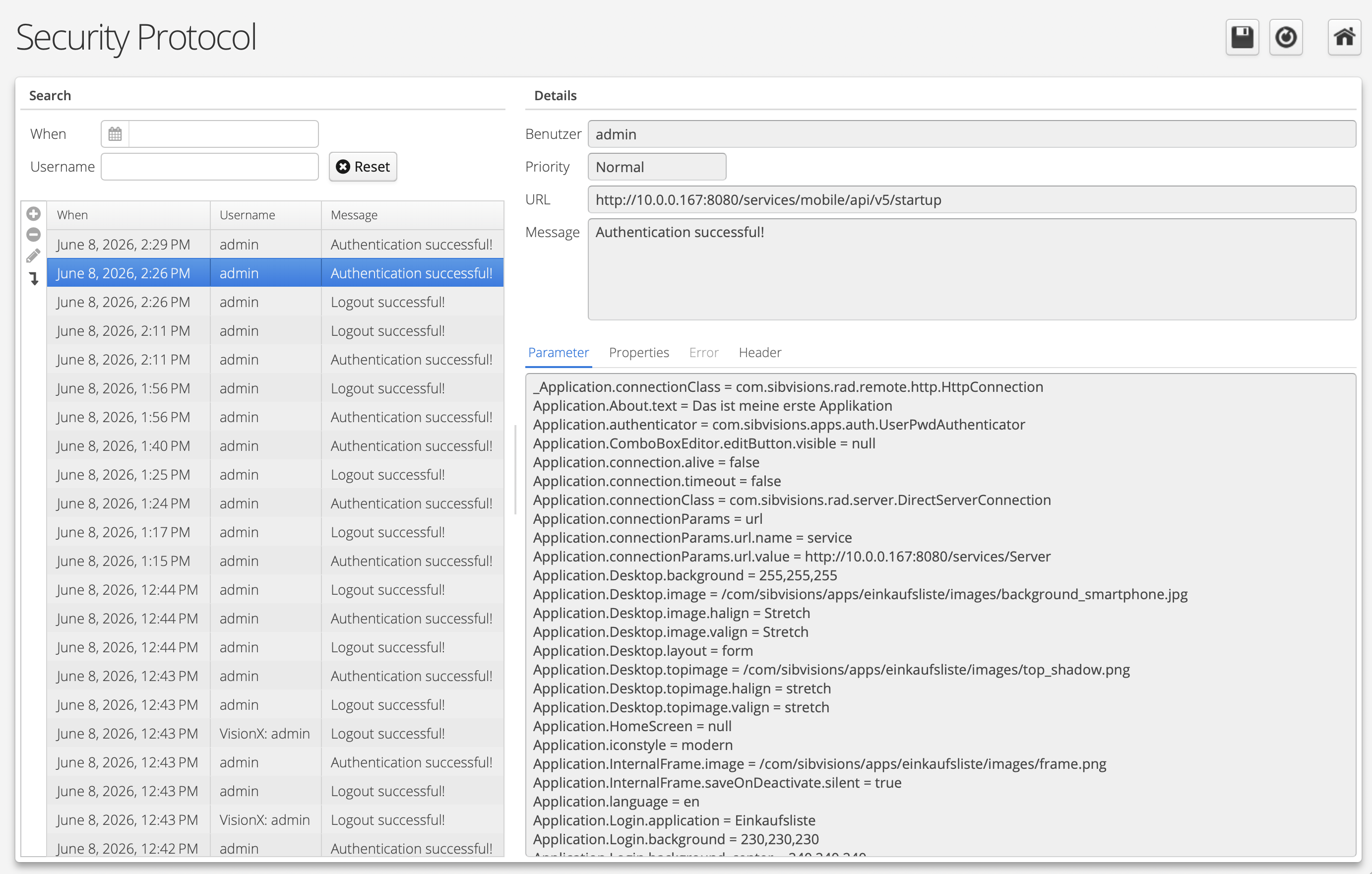
This AddOn adds an additional layer to your application and makes it possible to see login failures, successful logins and logouts, with additional information:

Protocol screen

Protocol screen

It's a must-have ;-)

Simply get in contact with us!

Entra ID (Azure AD) integration for VisionX

We are currently developing a new AddOn for VisionX that allows you to log in to your application using Entra ID (Azure AD).

The AddOn integrates seamlessly into your application, giving you the flexibility to choose your preferred login method. The authentication type is determined by the URL you access, for example:

  • http://myapp.visionx.cloud/AzureADAuth/ (without Entra ID login)
  • http://myapp.visionx.cloud/AzureADAuth/azauth (with Entra ID login)

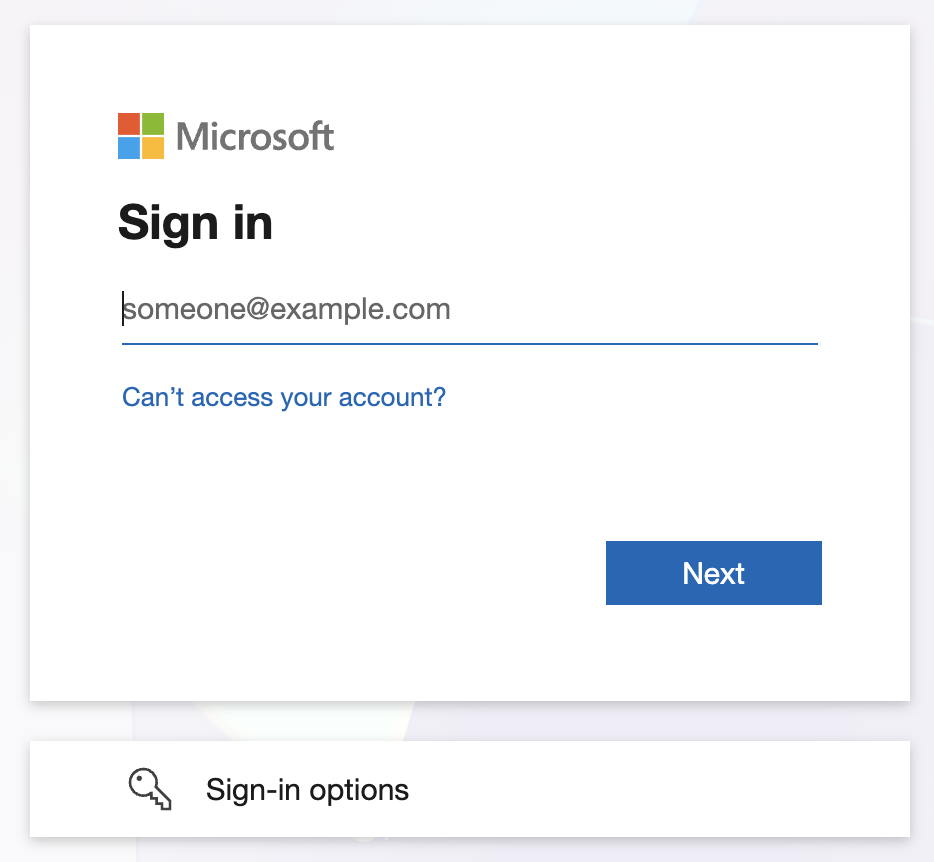
If Entra ID login is selected, the Entra ID login mask will appear before the application loads:

EntraID login

EntraID login

After a successful login, you will be redirected straight to the application and signed in automatically. All available screens will be visible immediately, based on your specific permissions. During the login process, we automatically sync app roles and user groups from Entra ID to your application.

We support the following web technologies:

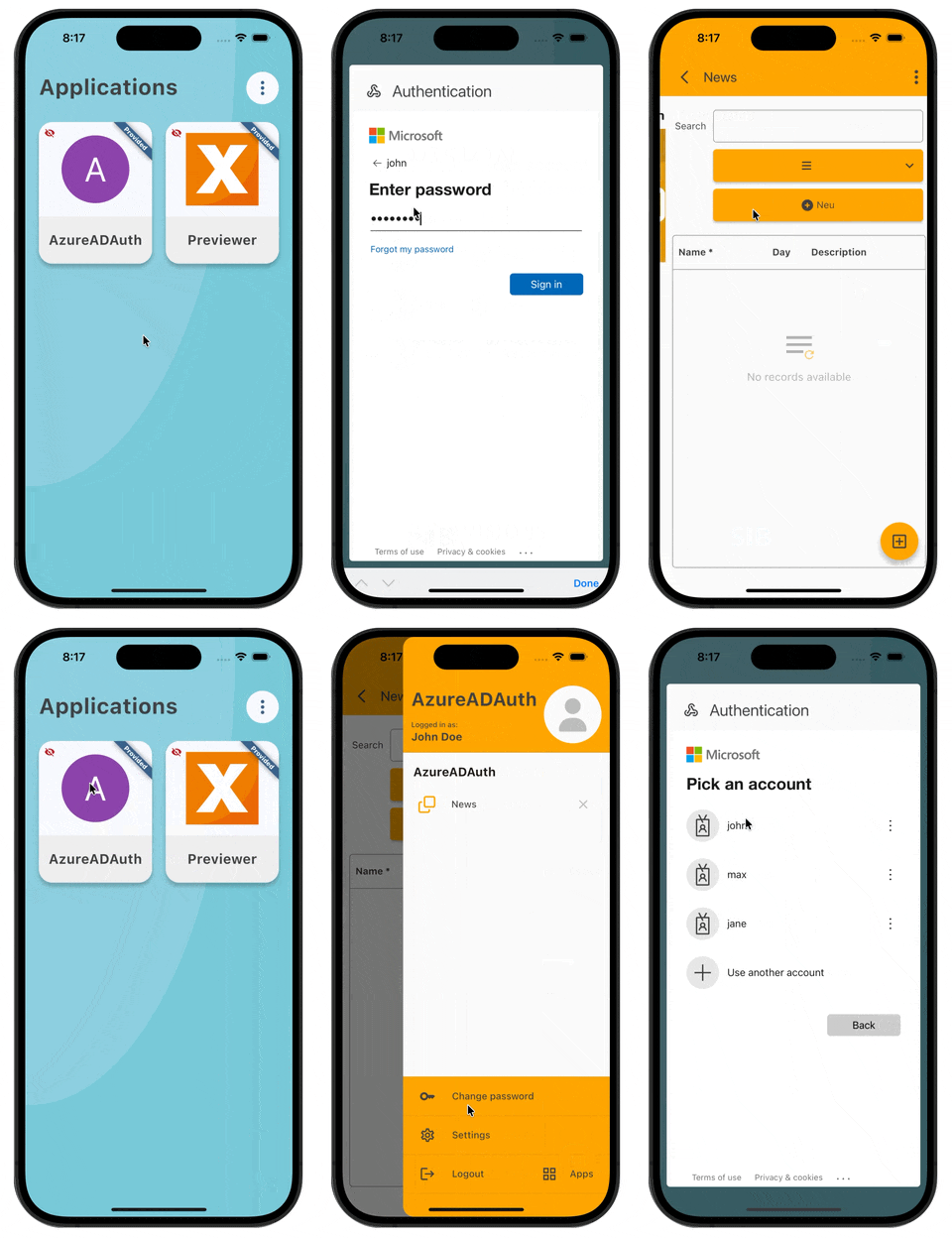
On mobile devices, the login process works similarly to the browser, but the login mask is displayed directly within the app:

Entra ID (mobile)

Entra ID (mobile)

In addition to signing in, you can also change your password or perform a secure logout from Entra ID.

All you need to get started is our Entra ID AddOn.

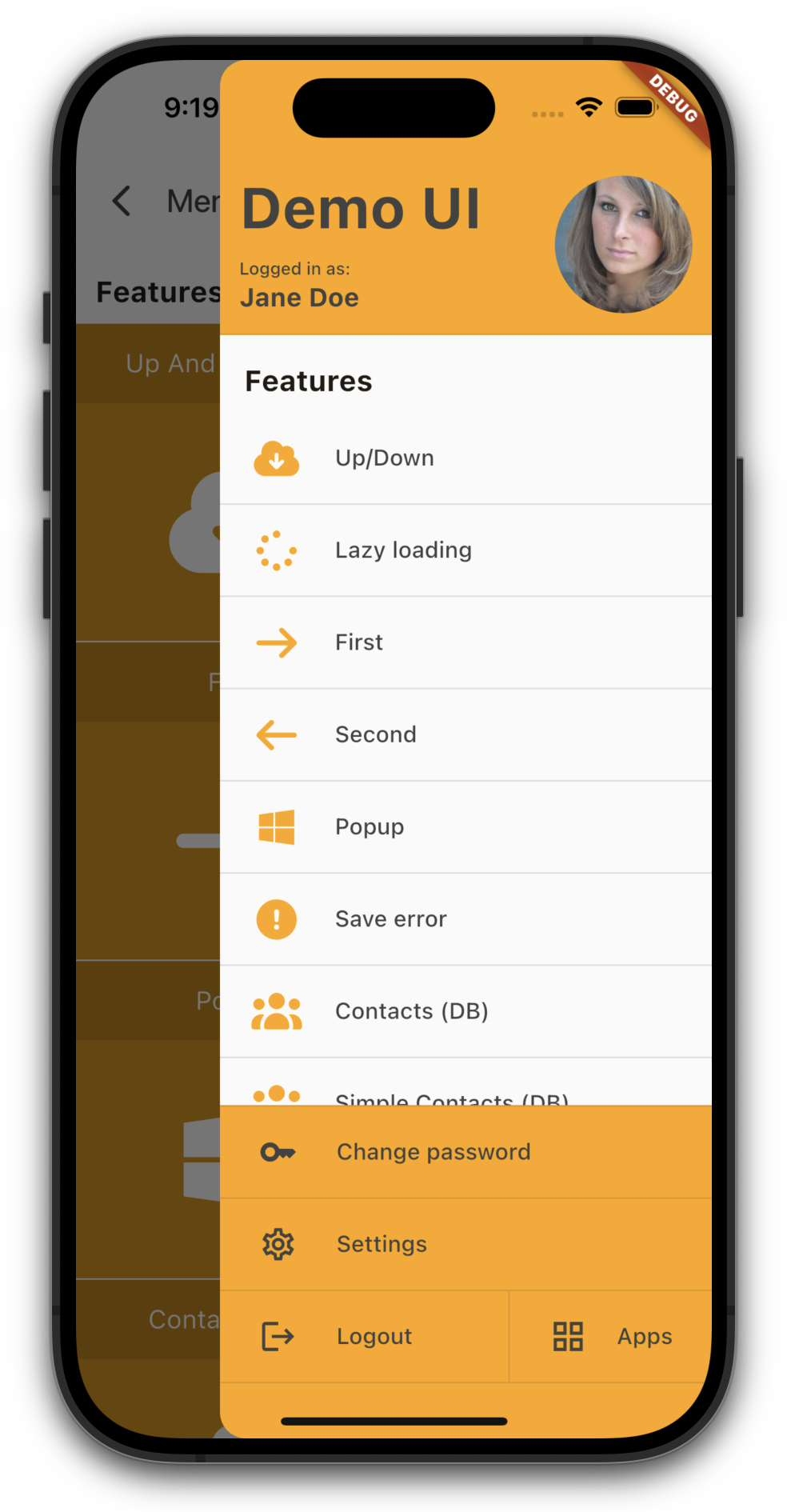
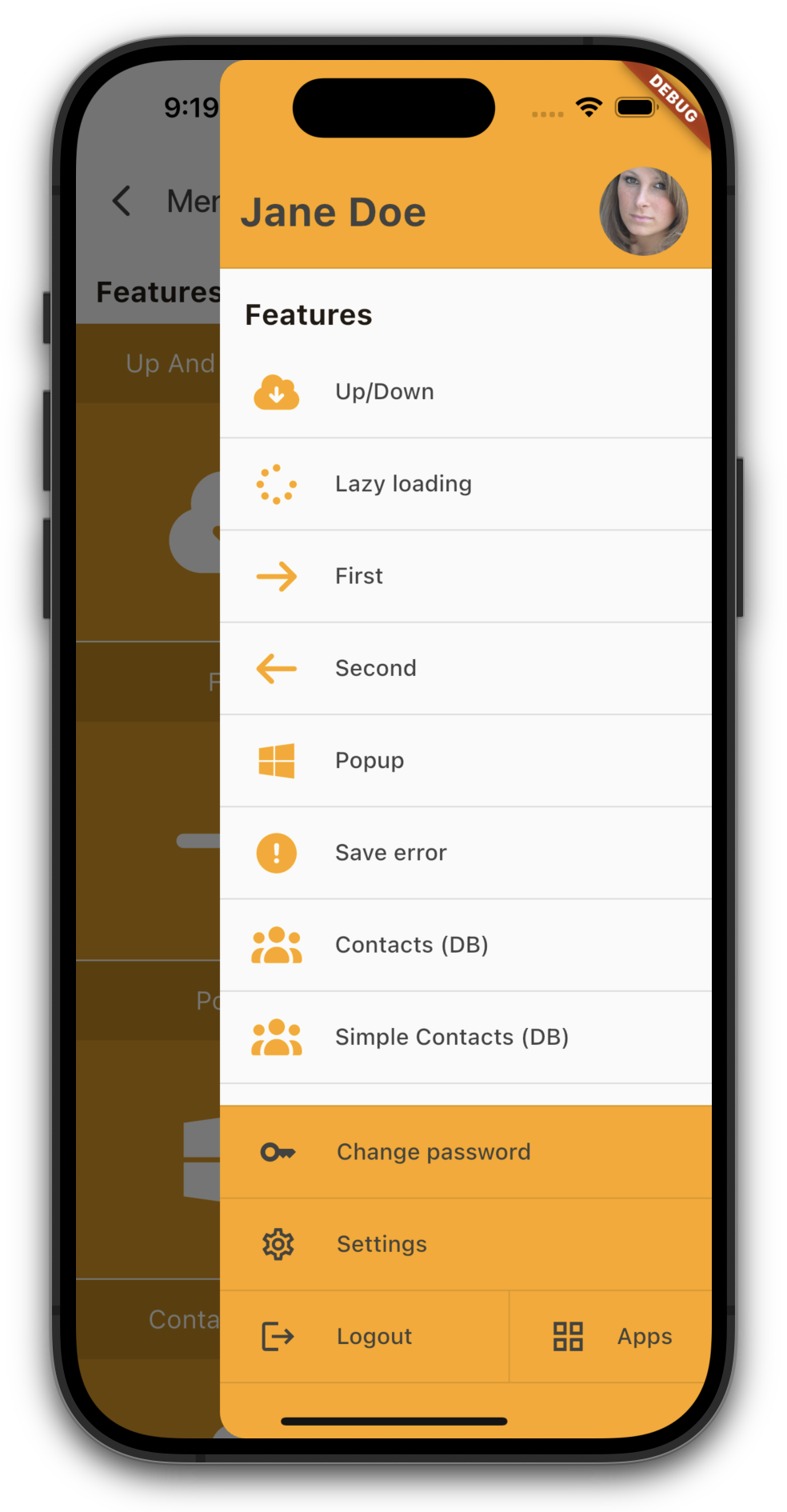
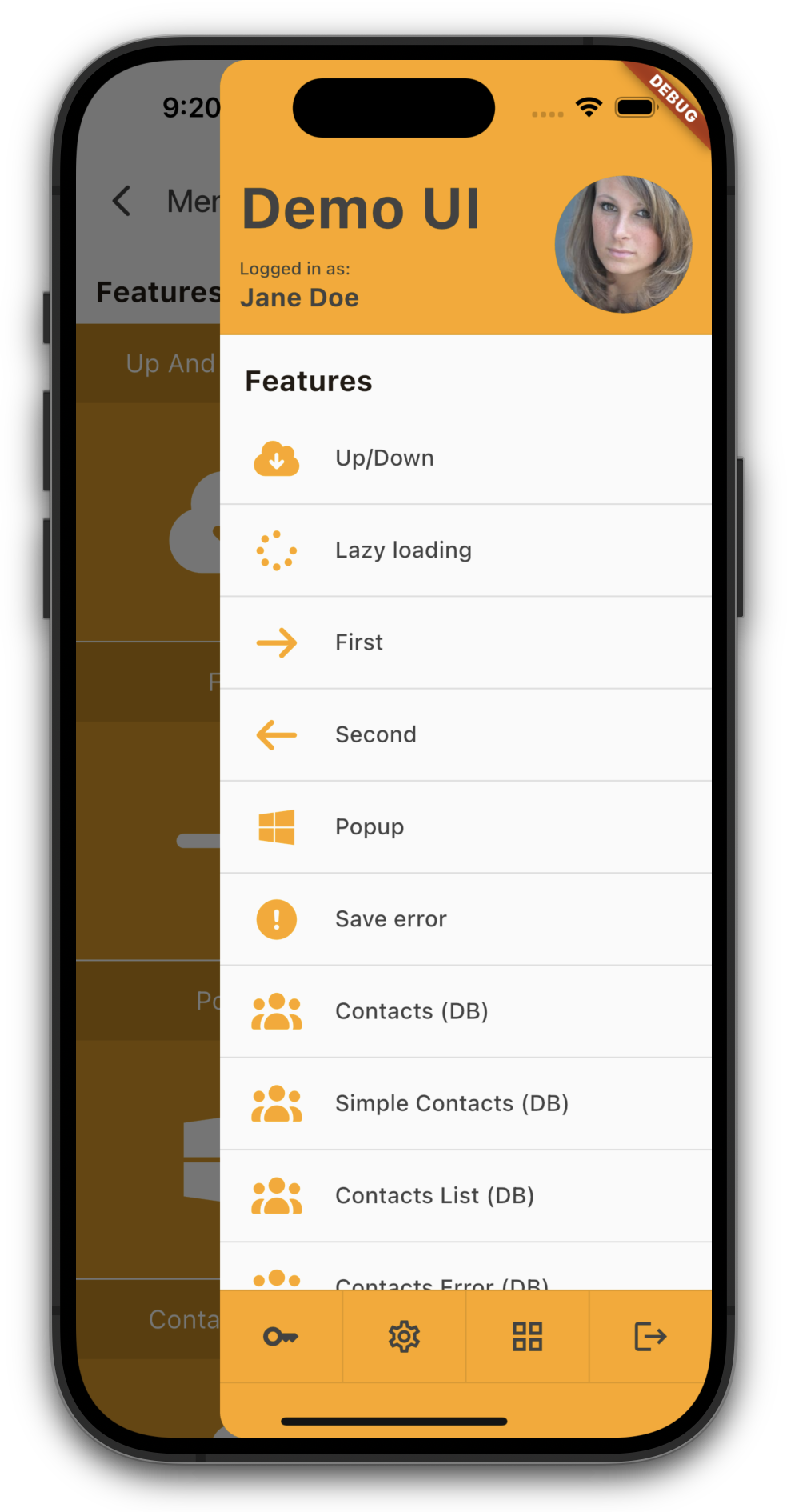
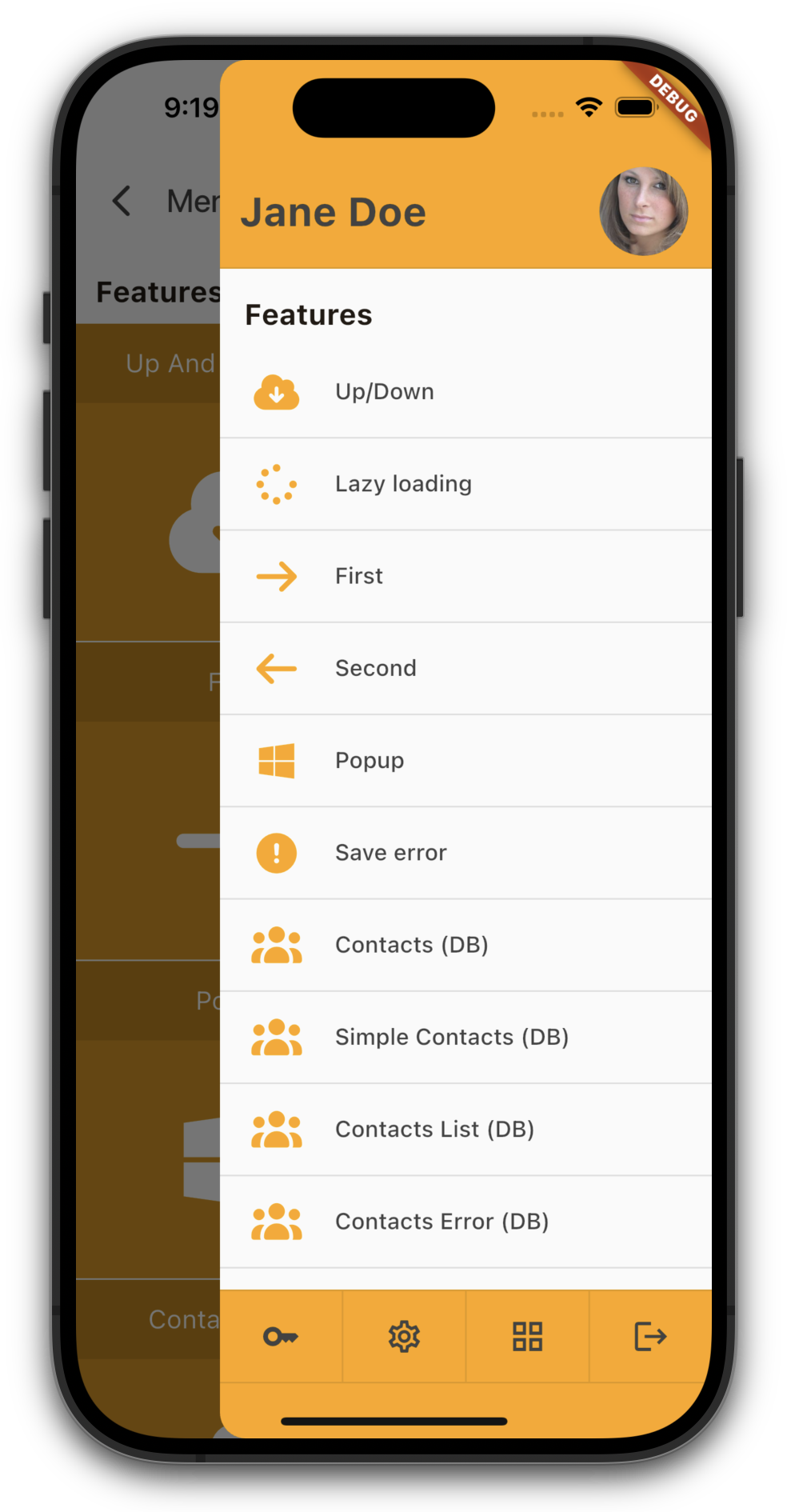
VisionX Previewer - Menu options

Our drawer menu just got more flexible.

With our new compact mode for the header and/or footer, you can free up valuable space for your menu items - perfect for screen-heavy applications.
Whether you prefer a generous, information-rich layout or a sleek, space-saving design, the choice is now yours.

Here are the differences:

Standard menu

Standard menu

Compact header

Compact header

Standard menu

Standard menu

Compact footer

Compact footer

Standard menu

Standard menu

Compact header and footer

Compact header and footer

Have a nice weekend!

VisionX Previewer - Styling

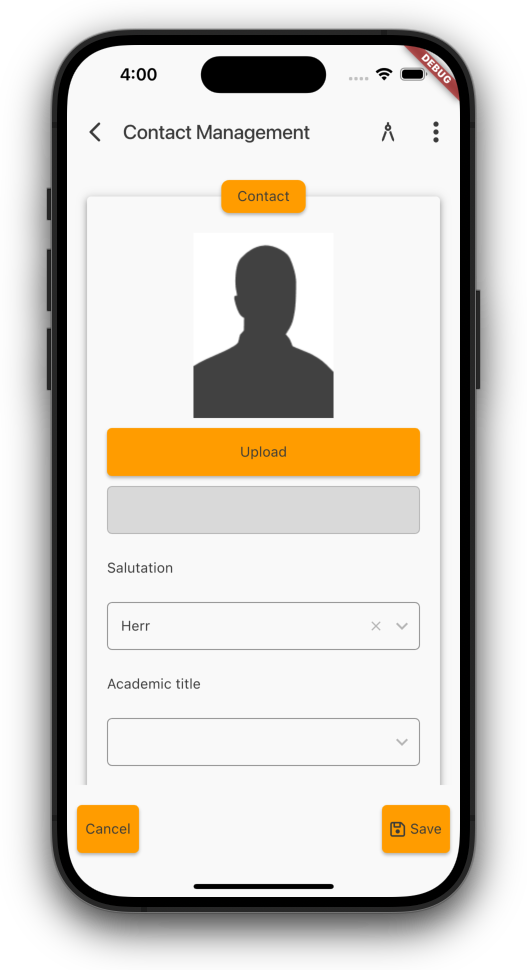
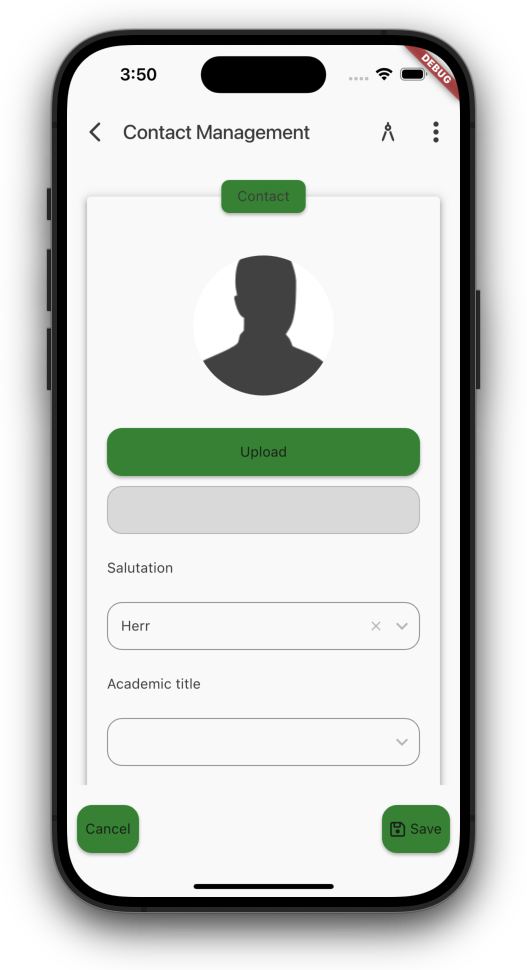
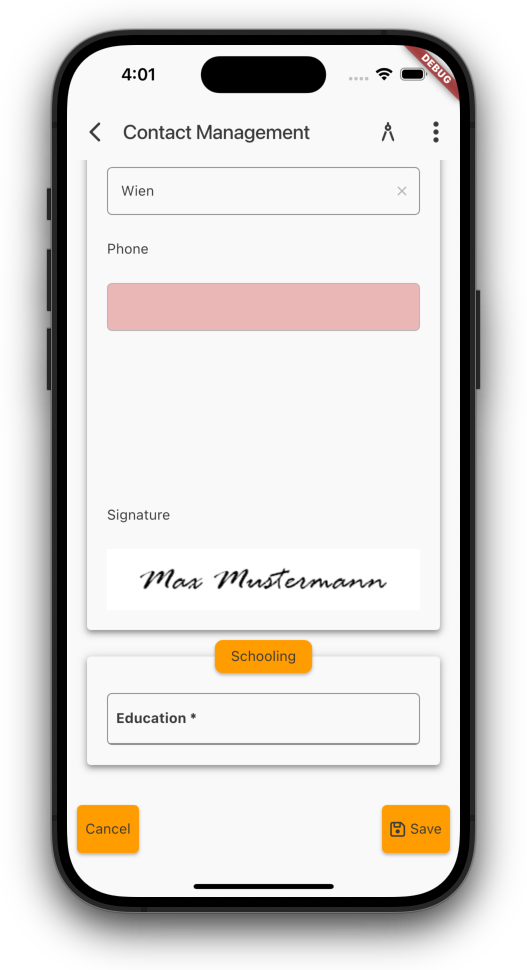
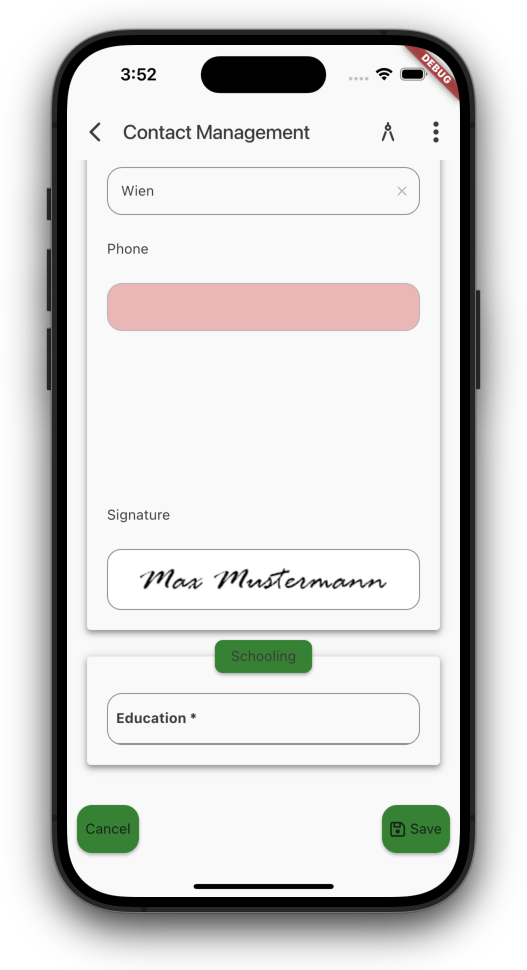
You can now customize your apps better than before.

You already have the ability to design the screens exactly the way you want. You decide the layout and the positioning of the elements according to your preferences. With a few style settings, the app can then be visually enhanced.

Until now, the entire application frame, such as the menu and the appearance of input fields, buttons, tables, etc., could only be customized in the native code. But that is not something you can do in just a few seconds.

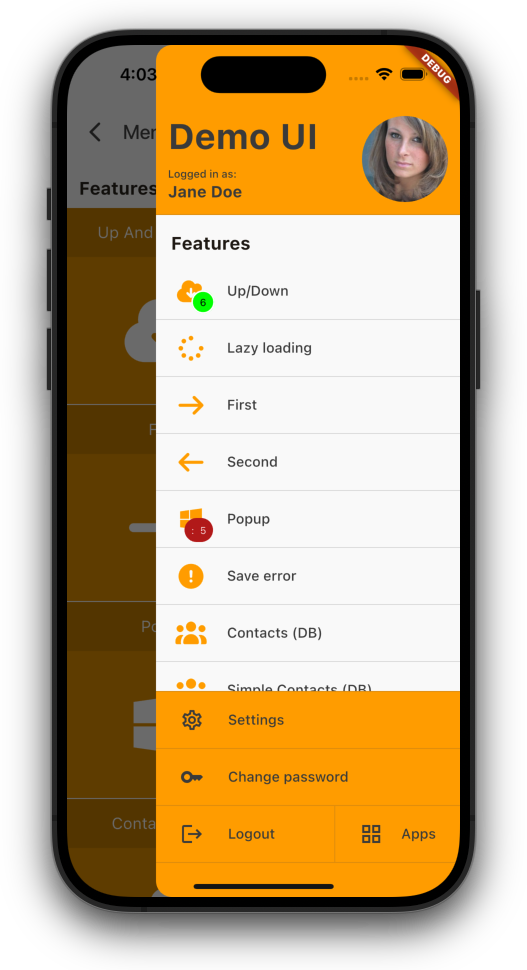
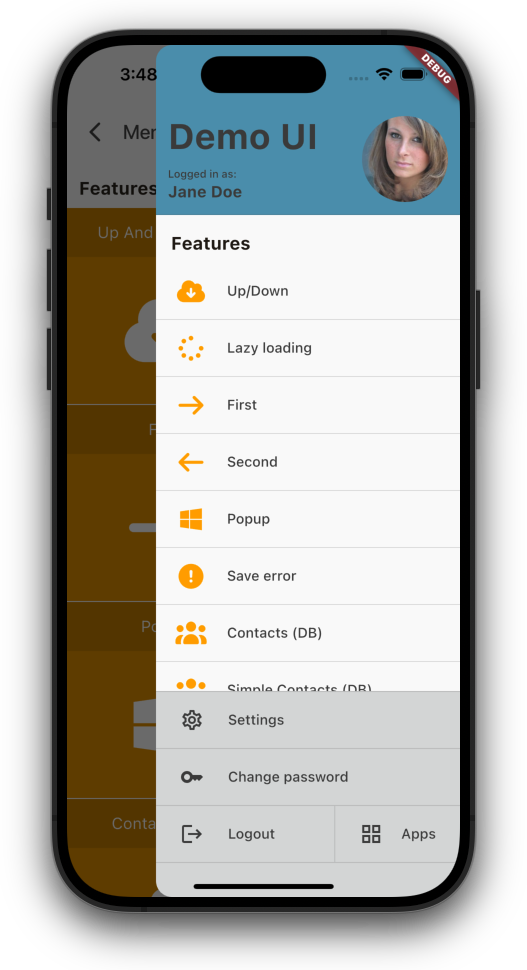
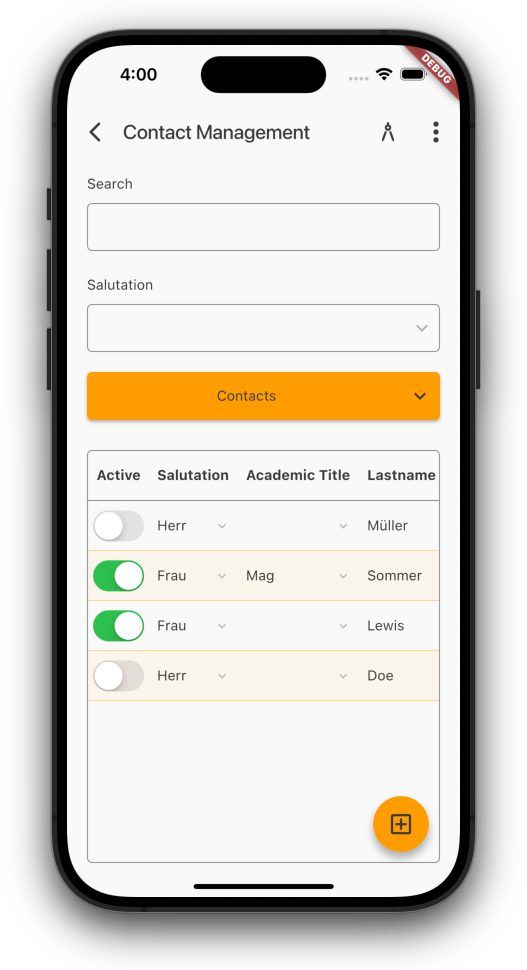
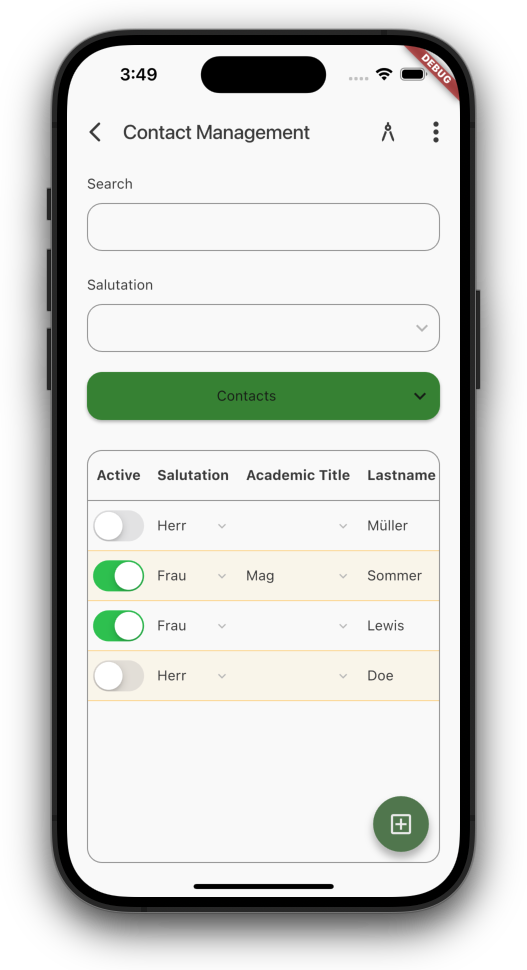
That is why we started making parts of the app/theme customizable. For example, you now have the option to define the corner radius, control button colors centrally, and much more.

Here is a small example:

Menu (old)

Menu (old)

Menu (new)

Menu (new)


Just set custom colors for menu header and footer.

Next example, an example screen:

Default color

Default color

Custom colors

Custom colors


Use custom colors for buttons, custom border radius for buttons, input fields, tables.

Show images as avatar:

Image (portrait)

Image (portrait)

Image (avatar)

Image (avatar)

If you want, show border around images like this one:

Signature (no border)

Signature (no border)

Signature (border)

Signature (border)

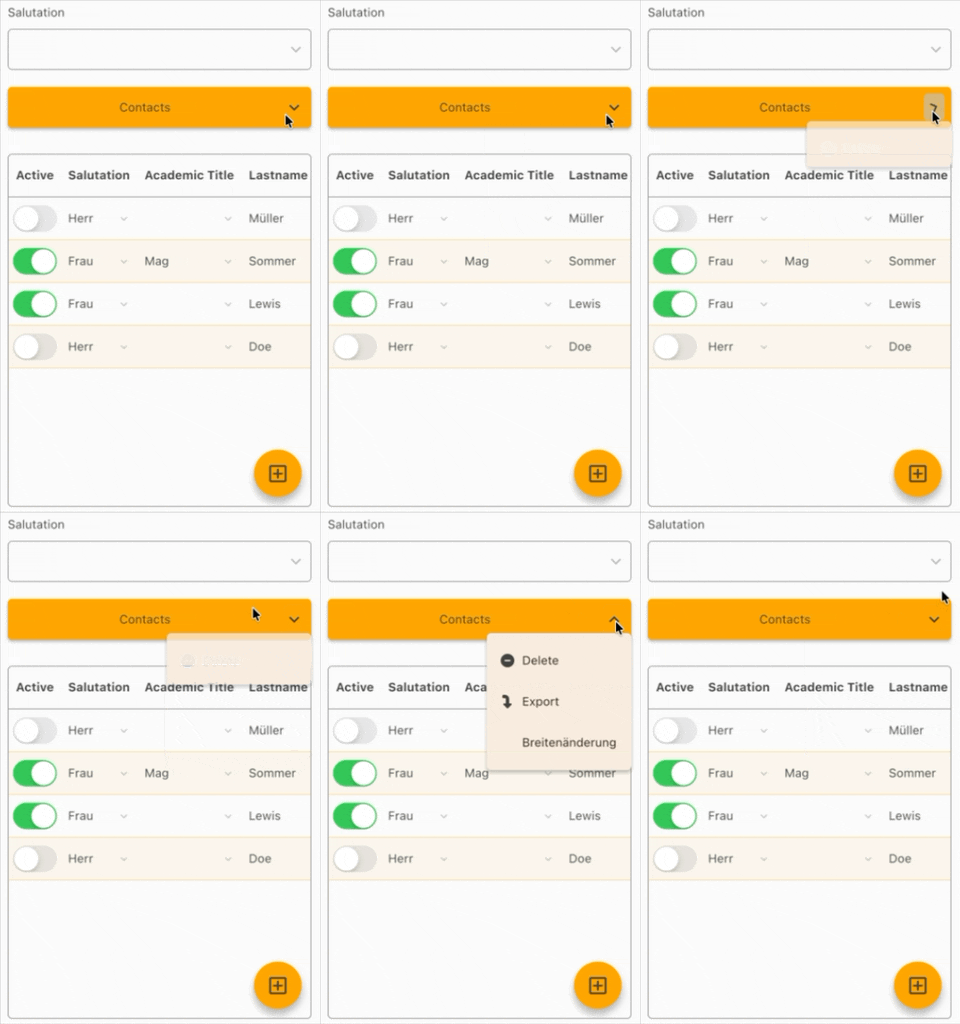
And as a little extra, menu button arrow now animates:

Buton animation

Buton animation


Look forward to more customization options ;-)

VisionX Previewer - No records in table

We've got a small but sweet update for you!

Up until now, the table would just show a big empty space whenever there were no records. Not super helpful.
To keep things clearer, we now show a friendly hint when there's nothing to display:

No records (old)

No records (old)

No records (new)

No records (new)

Enjoy the update!