This website uses cookies for visitor traffic analysis. By using the website, you agree with storing the cookies on your computer.More information

Big News! We've reached the next level with Flutter 3.41

We have good-actually, great-news for you!

Our Flutter UI is now fully compatible with the latest Flutter version (3.41). We've put in the work to ensure you have full access to all the newest features Flutter has to offer.

During this process, we noticed that json_dynamic_widget is no longer being actively maintained. (We completely understand the developers' reasons, but as you know us: "Impossible" isn't in our vocabulary.)

That's why we've pivoted our implementation to the officially Google-supported solution: Remote Flutter Widgets (rfw). This brings us much closer to the Flutter core, as widgets can now be used directly in the definition file. This makes everything significantly more readable. Furthermore, there's a massive performance boost to be gained by saving templates in binary format - which we already support! In a direct comparison, rfw wins by a landslide; even with large datasets, everything remains buttery smooth. The unexpected switch has already paid off!

Why didn't we use rfw from the start? Simply because not everything was production-ready when we first tested it, and json_dynamic_widget was performing exceptionally well at the time.

This new version isn't just a compatibility upgrade; it's packed with new features:

  • Copy-to-clipboard button in editors (optional)
  • Biometric/PIN security (per app, per screen, or per button press)
  • Title bar styling (e.g., matching screen colors)
  • Customizable icons
  • Client-side data encryption
  • Empty state info text for menus
  • Geo-location access with alerts if location services are disabled
  • Caching for small images
  • Binary data types are now natively recognized
  • Password input with quality indicators (optional)
  • Toggle visibility for password inputs (optional)
  • Multi-factor authentication fixes and a fresh new look
  • Background images for masks or menus via API
  • Safe Area color customizable via API
  • Request reduction for better efficiency
  • Full support for all FontAwesome and Material Icons (by name)

We'll be diving deeper into these features over the coming weeks, but for now: it's just awesome!

Client-side encoding of records

We've just shipped an absolutely fantastic new feature that many of you will love. Starting now, you can store values fully encrypted in your backend/database - transparently, securely, and without ever exposing plaintext on the server. All you need is a client-side token that lives exclusively in secure storage on the device. The backend and the database only ever see encrypted bytes. When the data is read, it's automatically decrypted on the client. In other words: your app never has to persist unencrypted data again.

This is a highly specialized capability, but incredibly powerful. If you're building something like a password manager that syncs credentials across devices, this feature is a game-changer. Passwords never appear in plaintext on the server - even if someone were to gain direct database access due to a security flaw, they'd only see encrypted blobs.

How does it work?

You simply mark the columns you want encrypted:

book.getRowDefinition().addColumnDefinition(
  new ColumnDefinition("PASSWORD", new EncodedBinaryDataType())
);

The corresponding database column must use a binary data type (not text).
That's literally all the setup required.

When the user opens the screen in your app, they'll be prompted for a token. This token is stored securely on the device, never displayed, and used solely for encryption and decryption. Each application can use its own token. You can also delete the token to force re-entry whenever needed.

How it looks like?

Enter token

Enter token

Delete token

Delete token

Previewer app with new code scanner UI

We were never truly satisfied with our code scanner in the VisionX app, so we took the opportunity to redesign it. The result of our efforts can be seen here:

Old UI

Old UI

New UI

New UI

New UI (multi-scan)

New UI (multi-scan)

The changes are already integrated in our Open Source project and will also be available in the stores with the next app update.

VisionX 6.5 has landed

We've been waiting for this moment, and now it's here: VisionX 6.5.157 is officially out!. It's been a while since 6.0, but the wait was worth it.

This release isn't just an update. It's a massive refresh: nearly every library has been upgraded (some because of patched vulnerabilities), and new features unlocked. Even though VisionX apps weren't at risk, we wanted you to have the latest, safest, and most feature-packed version possible.

Bottom line: VisionX 6.5 is stronger, faster, and fresher than ever.

Highlights you will love

Mobile App (VisionX Previewer)

  • Speed boost: faster than ever
  • Customizable comboboxes: style them your way (see article)
  • Deep link and push notifications: build modern apps without worrying about the tech details (read more...)
  • Badges for elements and menu: because every great app deserves flair (read here and here)

Next-Gen Web App (React UI)

  • Upgraded: React 19 and PrimeReact 10.9
  • Compatibility: full dependency refresh
  • Keyboard navigation: Tab and Enter work seamlessly in tables, date pickers, and comboboxes
  • Performance: tables handle thousands of rows reliably
  • Style Designer: revamped to make custom theming effortless

Classic Web App (Vaadin UI)

  • Future-proof: compatible with upcoming browser changes (Chrome and beyond)
  • Stability: behind-the-scenes work to keep VisionX rock-solid

VisionX Features

  • Live preview: VisionX now supports direct preview for the classic and next-gen web app, and remembers your last choice
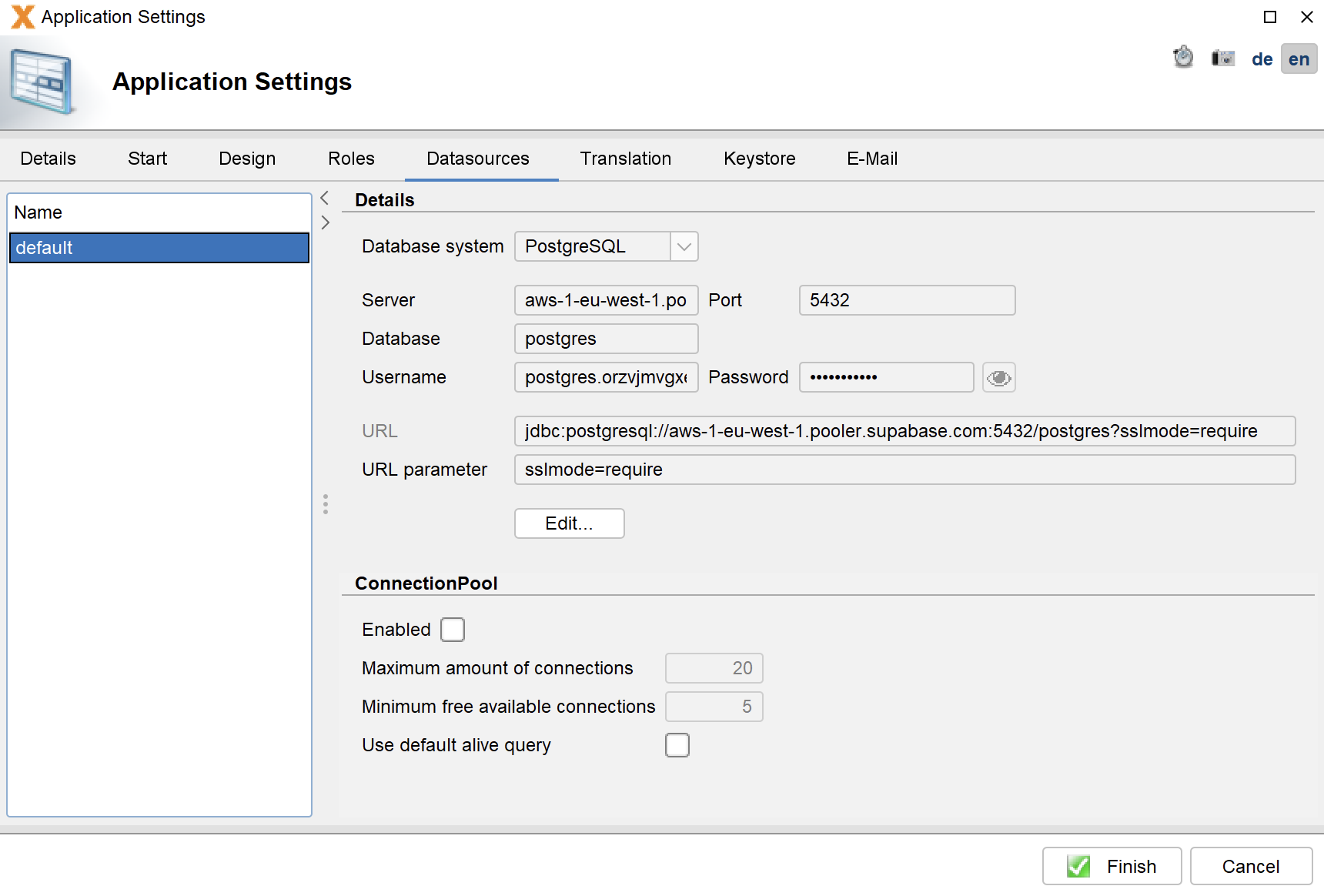
  • Connection pooling: designed for high-traffic apps to reduce database load and boost performance, simple enough for citizen developers
  • Morph between 1-tab tabsheet and Group panel seamless

Also available: VisionX Previewer App 3.3.2 in the app stores.

Next stop: VisionX 6.6.

Until then, enjoy the muscle and polish of VisionX 6.5.157
Available now in the customer download area.

JVx' Flutter feature preview

We have some great news for you!

We tried to improve our picklist = combobox = linked cell editor visually. And the result is so cool.

We played around with different styles like bottom sheet and popup. A bottom sheet is very common on iOS but not on Android devices. A popup is a usual method.
Our current implementation is a popup but it looks like a dialog. It's not bad but not cool enough.
The visual difference is big but it's always the same control.


Some impressions

Every video first shows the good old linked cell editor = combobox = picklist and then a new variant of the same editor.


This could be the new default
implementation, because the
animation is not too pushy.


The bottom sheet variant.


As popup below the editor with
pushy animation.


As popup below the editor with
fade-in animation.


As popup below the editor with
menu animation.

The best of all is that we support all shown variants. It's possible to mix modes, just define the style like:

editor.addStyleNames("f_as_popup")

We support following style names:

  • f_as_dialog
  • f_as_bottomsheet
  • f_as_popup

Styles for popup animation:

  • f_popup_jump
  • f_popup_fade_in_bounce (default)
  • f_popup_fade_in_down
  • f_popup_fade_in_roll_down

As usual, code is available in our github repo.

JVx' native Flutter client 3.3.0 is available

We're happy to announce that our native JVx' flutter client 3.3.0 is stable and available.

It's now flutter 3.35 compatible, supports Android' 16KB Page size and is ready for Android SDK 36.

We’ve invested a lot of time in improving stability and performance. Layout rendering should now operate somewhat faster than before. Additionally, we’ve implemented push and deep links in a way that allows the application to update its display using pure parameters. For example, it’s now possible to update individual fields or open entire screens and select specific data records within them.

How it works?


Deep link example

Deep link example


The app runs on a real device. It has a simple screen with a button which will send an email with two links in it. The first will open the app and sets an application parameter. This parameter will be shown as text of a text field. The second link will open a specific screen and scrolls to a specific record.

Our implementation of native push:


Native push

Native push


The app receives a push message while running and shows a local notification. If you tap the notification, the app will be opened as well. In this demo, we don't tap the notification.

The project, as always, can be found on github.

We’ll be updating our VisionX Previewer app in the next few days and releasing it in the stores.

Preliminary information for the upcoming VisionX release

Short Status Update for the Upcoming VisionX Release

We’re currently in the final stages of testing. All our libraries are up to date and free of security issues. We've made extensive updates to our React UI, and our native mobile client has received numerous refinements, including full support for push notifications and deep linking. Background APIs have also been successfully tested with both Apple and Android devices. The native mobile client has been upgraded to the latest versions as well.

At the moment, we're addressing a few visual issues that surfaced during our pre-release testing. These are purely cosmetic and do not affect functionality.

The new VisionX version will include an updated React UI, an enhanced React UI Designer, and the latest native mobile client.

Although the release took longer than expected, it was well worth the effort!

We’ll notify you here once the release is officially available. Thanks for your patience!

VisionX Previewer menu badges

We already support badges for standard components. So the next logical step is to support badges in the menu. And that's exactly what we've implemented. See for yourselves:


Menu badges

Menu badges


The badge will appear animated if you change the text.

The API is simple:

BadgeUtil.setBadge(this, UpAndDownloadWorkScreen.class, Integer.valueOf(1));

Pretty awesome, right? You don’t have to worry about the technical issues, just focus on building your app. We’ll take care of the technical details for you.

VisionX Previewer new features

We officially support badges for every component. It's super easy to show a badge for e.g. a button, but first let's have a look:


Badge animated

Badge animated


The badge will appear animated if you change the value. The API is simple, because we use our style system, e.g.:

Style.addStyleNames(comp, "f_badge_1);

You have many options to customize the badge, e.g. color, border, position:

Style.addStyleNames(comp, "f_badge_color_#205090, f_badge_align_bottomLeft, f_badge_offset_20, f_badge_border_2_#FFFFFF");

Another example:

Badges

Badges

The app is not available in the app stores because it's still under development, but the feature is already available in our repository.

Also, the app is ready for latest flutter version: 3.35.0
Use all features of latest flutter and dart to create your custom application without limits.

It's truly incredible how quickly you can build database apps using our generic application. The unrestricted native access is unmatched, and the standard components with all included features already enable the creation of outstanding apps.

Application monitoring for VisionX cloud

We're happy to announce that our application monitoring is now available for our VisionX cloud applications.

With next VisionX release, it will be possible to include the optional application monitoring in your applications. It's not necessary to install the Monitoring AddOn. We'll add everything to your cloud installation.

Here's how it looks like:

Application

Application

Monitoring

Monitoring

With application monitoring it's super easy to detect performance problems or to get an overview of used features. If you want to know how many users are using your application, no problem with application monitoring.

The application monitoring is an extra option for your existing VisionX cloud subscription. Please talk to our sales team to get more information.