This website uses cookies for visitor traffic analysis. By using the website, you agree with storing the cookies on your computer.More information

Category: Development

Stress testing a Vaadin application with Selenium Grid, a summary

For quite some time there has been the idea in our heads to run a stress test against a JVx/Vaadin installation to see if there are any major problems with performance and multithreading. We knew that Tomcat, Vaadin and JVx could serve a lot of users simultaneously, that's what all three were designed to do, that's what all three do well in many different environments, but we never really tried to stress it out. So we set out to change that.

The plan

Some weeks ago we started discussing and outlining how to perform such a stress test. After some research we came up with a plan:

  1. Design a test case using Selenium for the DemoERP application
  2. If necessary, design and create solutions to allow that
  3. Set up a Selenium Grid which can be used for testing
  4. Perform the actual test and fix anything that needs to be fixed

As simple as it sounds, it had quite some gotchas on the way and taught us some valuable lessons.

Name all the things

The first thing you need for automated testing are names, components need names so that they are easily identifiable by whatever you're using for testing. Already back in September we started to name components in a unique and easily recognizable fashion, our efforts are covered by ticket #1103. Of course you can still set your own names, if you want that, as the default names will only be applied if no other name is set.

In short, components are now receiving a name based on their position in the component tree. For example take this simple workscreen:

Class                 Name

WorkScreen:           WS-XX
    SplitPanel:       WS-XX_SP1
        Panel:        WS-XX_SP1_P1
            Label:    WS-XX_SP1_P1_L1
            Editor:   WS-XX_E_COLUMN
        Panel:        WS-XX_SP1_P2
            Label:    WS-XX_SP1_P2_L1
            Button:   WS-XX_B_DOPRINT

The naming starts with the "root" component and every child component does append it's name. So you can easily guess where a component is assigned to, simply from its name. Every name is guaranteed to be unique, either by its position in the tree or by incrementing a counter.

Additionally there are "special snowflakes" which are getting better names, like the name of a button which is only prefixed with the name of the workscreen and a "B" and then followed by the actions which are assigned to it, e.g.

public class DashboardWorkScreen extends ...
{
    ...
    public void initializeUI()
    {
        ...
        UIButton butUp = new UIButton("UP");
        butUp.setSize(80, 80);
        butUp.setStyle(new Style("up"));
        butUp.eventAction().addListener(this, "doUp");
    }
}

The button "butUp" will get the name Das-WV_B_DOUP. The prefix Das is the short name for the DashboardWorkScreen, followed by -WV which is like a prefix checksum/number. The letter B stands for Button and the action name DOUP is the last part.

With such a naming scheme in place, it's easy to create automated UI tests as every component is uniquely identifiable in the component tree. In the case of Vaadin the names are also used as ID's on the elements

<button type="button" class="v-nativebutton v-widget up v-nativebutton-up daswv_b_doup v-nativebutton-daswv_b_doup default-padding v-nativebutton-default-padding v-has-width v-has-height" id="Das-WV_B_DOUP" tabindex="0" style="width: 80px; height: 80px;">
  <span class="v-nativebutton-caption">UP</span>
</button>

The test case

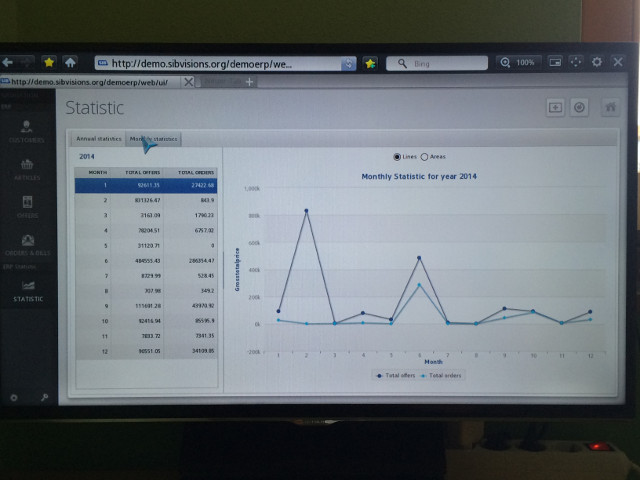
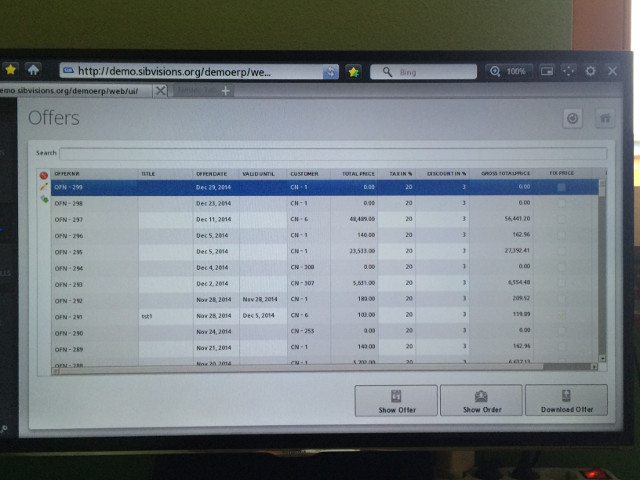
For everyone who does not know our DemoERP application, it is a simple ERP application which features customer, product, offer and order management together with a nice statistic screen. All this can either be run as Swing application or (powered by a Tomcat Server) as Vaadin application directly in the browser.

The test case that we designed is rather simple:

  1. Load the application website and perform the initial login
  2. Open the customer management screen and add a new customer
  3. Open the offer management screen and search for an offer
  4. Switch to the order of said offer and edit it
  5. Open the statistic screen
  6. Logout

This gives a nice workload for testing, as it touches close to all areas of the application, changes values nearly simultaneous and also adds data with every run. Also note that the testcase would perform these steps as fast as possible, without any artificial waiting in between.

Thanks to the Selenium IDE the test case was recorded within a matter of minutes, and quite fast copied into a unit test. The first round of testing happened with the Chromium WebDriver, which allowed us to watch the test case do its work and make tweaks wherever necessary to allow the test to succeed.

Setting up Selenium Grid

Selenium Grid (or Grid2) is a simple, scalable framework for distributed Selenium tests, allowing to control multiple browsers on different platforms. The central server is called a "hub" and the clients are called "nodes". The nodes are registering themselves at the hub, and from there a client (for example a unit test) can send a request to the hub and it will receive a node matching the requested requirements. On the client side this is happening by simply creating a new instance of a RemoteWebDriver provided by Selenium. It will automatically contact the hub, wait for a node to be ready for it and then forward all commands to that node.

This is useful if you want quickly test an application in multiple browsers on multiple platforms without leaving your IDE or to perform a simple stress test.

Setting it up is as easy as starting the hub on one machine, and starting the nodes on any other machines. We decided to go with PhantomJS as browser, as we intended to run many instances of said browser on one node and we also had a wide variety of machines, some without a GUI. PhantomJS does already have it's own built-in node, so we just needed to start PhantomJS on the machines and tell it where it can find the hub.

At the end of day we had 12 physical machines in place and we maxed them out to get a total of 82 nodes which can be used for our stress testing.

Sessions

One thing we noticed very quickly was that lingering sessions can be a real issue and the timeouts really need to be tailored to your environment. While testing we quickly noticed that sessions kept lingering on, this was less an issue for the server and Tomcat, as more for our MariaDB installation because at some point it simply stopped accepting new connections. So we needed to reduce the amount of time a session would linger on to not clog our test server.

There are two important settings controlling the amount of time a session will linger on in such a setup:

  1. The timeout setting of the Tomcat server
  2. The heartbeat interval and closing of idle sessions in Vaadin

As said, these settings should be tailored to whatever environment the server is running in. In our test environment it didn't make any sense to keep sessions longer than a few minutes, because if the test case ended or was interrupted for some reason, the session would not resume. Armed with that knowledge we reduced the amount of time a session could linger on and we could finally start the real test.

Running the test

The server in our case would be a rather unspectacular laptop, with a Core-i7 (1.80GHz) and 16 GB of RAM. Tomcat 6 would deliver the application and the data would be provided by a local MariaDB/MySQL database (with an InnoDB engine).

The test itself, which ran several times for several hours, was rather boring to be honest. 82 clients swarmed the server as fast as it could answer requests without any noticeable effect on it's performance. The laptop, despite not being the typical server machine and for sure not intended as such, could easily handle the load that 82 clients produced. We did expect the application to stay in a usable state, however we did not expect that it wouldn't have any noticeable effect at all from a users perspective.

Here is a short summary of the data we gathered (using jvisualvm and ProcessHacker):

  • CPU peaked at 60%, but stood most of the time between 40% and 50%
  • Tomcat peaked at 4GB RAM, but would have been able to work with as little as 2GB
  • Over 21.000 datasets were created during the test run
  • The GUI was not noticeably slower during the test

Our setup could handle that amount of requests with ease. Unfortunately we could not get a hold of more machines to add further nodes for now.

We broke it, we fixed it

During the tests two nasty looking issues stood out, which kept happening in roughly 1% of all test runs with seemingly no pattern behind them.

The first was a simple NullPointerException which kept happening in UIImage, but that was fixed rather easily as certain methods where not synchronized and so destined to fail.

The second was a set of Exceptions which send us to our toes: NullPointerExceptions, "Object 'offer' was not found" and "Remote storage returned 15 value(s) but 22 were expected". Clearly there was something very wrong, and with the low volume with which these exceptions occurred, it could only be a race condition somewhere. Looking for possible causes send us to all corners of the codebase without any clue in sight what might cause them.

It only dawned upon us when we got a hold of the map which did not contain the object "offer", it only contained the objects "v_statistic_order_offer_year" and "v_statistic_order_offer_month". Looking at the lifecycle objects immediately showed the problem, the session did have a completely different lifecycle object. That did also explain the wrong amount of values, as two lifecycle objects happened to contain identical named objects. But how was that possible? We immediately checked the complete source code associated with creating a session, and in AbstractSession we found the culprit. Even though the complete code for creating a session was properly synchronized where necessary, one simple statement had slipped past:

private static long lSessionCount = 0;
...
private final Long lObjectId = Long.valueOf(++lSessionCount);

For everyone not seeing the problem, here is a simplified explanation. If an object is instantiated, the fields are initialized even before the constructor is run, this is not and can't be directly synchronized. A simple increment operation (++) is compiled to six operations:

  1. Load a reference to a variable onto the stack
  2. Put into that reference the value of the static field (in our case lSessionCount)
  3. Put the value "1" onto the stack
  4. Add both values on the stack together
  5. Duplicate the values
  6. Put the new value into the static field

Six instructions, a lot of time for two threads to overtake each other and cause problems. Instantiating two sessions at once had the potential to give both the same ID. Of course we immediately fixed it and applied some other optimizations.

Another run verified that this had fixed all three issues at once and the tests were running without any further incidents for hours.

Conclusion

We were not even close to pushing the limits of what a JVx application/server can handle, and judging from the performance of the server I can only call our test setup "humble". Still it gave us a good measure of what is for sure possible and showed us that we need a bigger setup to really push the limits.

During the tests we also created various utilities to aid us with testing, unfortunately they are in a rather barebone state and can not be released by now. Also there is now a more important project awaiting, one that we think you've been waiting for for far too long.

Switch button for Vaadin 7.1

There's a nice AddOn in the Vaadin Directory. It's a switch button/checkbox. There's an older version for vaadin 6.6+ and the current version for 7.2+.

But the 7.2+ version is not compatible with vaadin 7.1+. We checked the source code and made a version for 7.1.

If you need a 7.1 compatible switch AddOn, simply use this archive. It's a zip archive which contains the pre-compiled class files and changed source files. Simply use the zip (or rename it to jar) to rebuild your widgetset.

Don't use the 7.1 version for 7.2 because the API is different and it won't work. Simply use the original version for 7.2 and newer.

Page Navigation

Plain JVx Vaadin applications don't have page navigation as known from e.g. JSF applications. If you press "back" in your browser, the whole application is lost and "forward" will create a new application. Same problem with "reload".

It has nothing to to with JVx because it's a technology restriction. Isn't it?
Not necessarily!

You should know that vaadin has support for Browser Navigation, but this feature has no standard implementation because every application is different and has different requirements. If you create your own Vaadin application, you'll have to implement your own Navigation. It's not tricky but you should know how it works. A good starting point can be found in the book of vaadin. The main thing is that you should create your application with different views. A view is more or less a page. The navigator supports navigation between views. If you have different views, it's easy to use the Navigator.

But our generic application is a little bit different to plain Vaadin applications because JVx has work-screens. A work-screen is like a View or a page, but technology independent. A work-screen can be used for desktop applications and web applications without code changes. A desktop application usually doesn't offer Navigation as known from web browsers. So it's a good idea to have work-screens because it's independent of the used GUI technology and platform features.

If you use a JVx application as web application with Vaadin UI, you'll miss page navigation - for sure. We made some experiments with vaadin' page Navigation and are happy to present an awesome solution for this problem.

We did a generic implementation in our application frame and now it's possible to navigate between work-screens - out-of-the-box. It's implemented once in our application frame. Simply use it and page navigation works!

Here's a short demonstration:

Browser Navigation


A DropboxStorage as X-mas present

Merry X-mas :)

We have a little present for you. It's a connector for Dropbox.

The source code is available here.

It's a full IStorage implementation and allows CRUD operations to your Dropbox account. We use it for sharing dynamicly created reports and as document archive. It's very useful because your application doesn't need a mobile client to exchange data with the backend.

If your secretary creates the management report (Word, Excel or Pdf), simply modify or read it via Dropbox. It's really simple because Word and Excel are available for mobile devices. Both tools have a built-in Dropbox support and thus makes it easy to access files.

How to use the storage?

Currently, we don't have a pre-compiled lib, but simply clone the repository and use the ANT build to create your own lib.

It's simple to integrate the storage in your application:

public DropboxStorage getFiles() throws Exception
{
    DropboxStorage storage = (DropboxStorage)get("files");

    if (storage == null)
    {
        storage = new DropboxStorage();
        storage.setAccessToken(SessionContext.getCurrentSessionConfig().
                                   getProperty("/application/dropbox/accessToken"));
        storage.setFileType(FileType.All);
        //use "flat" style
        storage.setRecursive(true);
        storage.open();

        put("files", storage);
    }

    return storage;
}

Before the storage will work, prepare your dropbox account to get an access token. It's not tricky and everything is documented.

There are some examples available as JUnit tests.

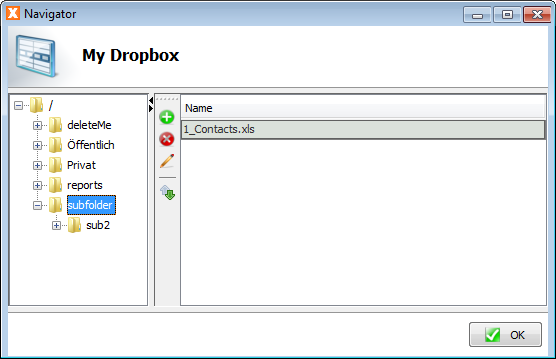
A simple Dropbox screen could look like this one:

Dropbox access with JVx

Dropbox access with JVx

JVx with Java6

JVx was based on Java5 and all releases, including 2.1, were built with JDK 1.5. We thought it could be the time for a change and Java5 is not popular nowadays. With JVx 2.2 we'll switch to Java6. It wasn't important for us because JVx has no specifics that need Java6, but some 3rd party libs like RESTlet need Java6. The client-side code of JVx will probably work with Java5 but we'll build our releases with target 1.6.

We made an update to RESTlet 2.2.3 because of some useful changes and also for the side-project JVx.mobile. So we had to switch to Java6 as well. Our repository is already based on Java6 and we started migration of dependent projects and build tasks.

Because of some changes in DBAccess regarding DataSource support, it was also a good idea to use new JDBC drivers and most new drivers are not available for Java5. So we hope you understand why Java6 was a good idea.

The current nightly build was created with Java6. Give it a try.

HANA support for VisionX

What is HANA?

It's the In-Memory database system of SAP, developed in 2010 for, or togehter with some customers to handle big data. You'll find all details here.

The system should be super fast and brilliant... That was the reason why we thought it might be interesting for VisionX and of course, VisionX could be useful for HANA customers.

So what?

We have a lot of experience with most important database systems like Oracle, SQLServer, DB2, PostgreSQL and MySQL but we had absolutely no idea what HANA was. But it has a JDBC driver :) . We also have a lot of experience with JDBC drivers.

So we had the Know-How to do some cool things with HANA. Our simple idea was the integration into VisionX via JDBC driver like all other databases which are already supported. We tried to find out how we could start.

The starting point for HANA development is: http://hana.sap.com/abouthana/developers.html.

To be honest... We didn't read a lot of documentation because we are Researcher. Simply clicked on Try SAP HANA and... found more information.

The first thing we had to learn was, that it's not too easy to start and there's a lot of information about everything and nothing. We tried the "SAP HANA Cloud Platform Developer Edition" but got an error...

After Googling around, we found another starting point: http://scn.sap.com/docs/DOC-31722.

But what about development tools?

We love using Eclipse and SAP has HANA studio and Eclipse plugins. Sounds great, and we found a strange site. A really simple site with minimal information but we didn't find information about the JDBC driver. We read about HANA client which should contain the JDBC driver, but it also was available here. It was another place for downloading HANA software.

Did I tell you that we are Researcher? We love to solve complex and tricky software problems but why are there so many different download sites. All sites are different with more or less information.

Did I tell you that we're tough? You're right, we found the little pieces.

After we found the right path, we made progress because Plugin installation was as simple as it should be. The registration of a dev account was not big problem.

The next "problem" was using Eclipse because we didn't find a simple web site with configuration details. After some googling we had some stackoverflow hints but no complete guide. But it wasn't that hard to find out how it works. Oh I forgot to mention that we tried to get direct access to the DB and not to create a hello world example.

The SAP HANA Administration Console perspective was our friend and we tried to add a new System. After we saw that there's an option for Cloud system, we made some progress :) But don't think it's that easy. Don't forget to create a schema via online system, called Cockpit!

To shorten the story: It's NOT easy to start and too much documentation doesn't help if someone forgets to KIS.

After we had access to our HANA schema and understood how the cockpit worked, we tried to create our first application with VisionX. The next problem was that it's not allowed to connect to HANA instances directly via Internet, without tunneling (as usual). To create a standard JDBC connection via VisionX, we had to create a tunnel. What do you think: An easy task for about 5 minutes or a job for Google?

Long story short:

Learn using NEO (console client). It's part of the HANA SDK.

Working command:

neo open-db-tunnel -h hanatrial.ondemand.com -u p012345678 -a p012345678trial --id schemaID

(The URL is important! We found other URLs which didn't work)

Used the result of the command to create a JDBC connection and we were back in the game.

What was next?

Our dev environment was up and running and VisionX could connect to HANA but we had to do some laborious tasks because HANA had some specifics (not surprisingly). We solved most problems in HanaDBAccess which is now available in JVx.

One of the biggest problem was the JDBC driver. Especially if you try to find some answers in the HANA forum about getting generated keys. The driver developers should listen to their community! (Don't ignore defacto standards)

But ok, that was only one thing. A big problem was the performance of metadata operations. If you try to get a list of unique keys, a list of colum names for a table or foreign keys, be sure you have some extra time because such operations can take a minute or more. Not sure if trial accounts are the botleneck but we thought HANA is always super fast.

We're not sure if no one needs metadata or if we have special requirements, but especially metadata access should be fast in any case!

We learned to live with slow performance and we're pretty sure that SAP will solve this problem.

Did we reach our goals?

;-) What do you think about this:

HANA application with VisionX


This video demonstrates the creation of an application based on HANA. The application was developed with VisionX and deployed as JVx' Vaadin application. I'm not sure if there's a tool which can do it like VisionX but I don't think so because SAP doesn't have one :)

One hint

If you have problems with locked accounts because of invalid connection attempts. Use Eclipse, connect to your schema and execute:

alter user p012345678 drop connect attempts;

Our Eclipse was blocked with this command, but everything worked fine after restart.

VisionX 2.1 is out

It's done. We proudly present an awesome VisionX release. It has the version number 2.1.905 and has doubled its features.

Here are some of them:

  • Undo & Redo

    It's now possible to Undo and Redo Actions and Reports. Simply add an action to a button undo the creation if you want. The action will be removed from the screen. It's also possible to add the action again, via redo.

    In VisionX 2.0, only UI elements could be deleted but not actions or reports.

  • Eclipse integration

    It's a developer feature and allows bidirectional communication between Eclipse IDE and VisionX. Simply select an editor in VisionX and the source code in Eclipse will be selected. The integration allows faster development because you jump exactly to the source file and code line of your screen. Don't was time for searching properties and files. More...

  • Layout Assistant
    Designer

    The Layout assistant (designer) of VisionX 2.0 was column oriented and it wasn't possible to create free-form layouts without fixed positioning. The new layout assistant still is column oriented but you can use it free-form. You have all features of a layout manager (preferred size, automatic size calculation) but it's easy to create individual layouts which are not column oriented.
  • ActionEditor

    It's a small feature, but the action editor now allows Finish without explicite validating the action. It save so many unnecessary klicks.

  • PDF Reporting

    We have built-in support for toPDF in VisionX. With VisionX it's possible to create PDF reports as Document and Spreadsheet with Word and Excel. Create your report templates with Word or Excel and create PDF reports out-of-the-box. More...

  • Mobile and Web
    Settings

    VisionX got wizards for mobile und web settings. They allow styling of web and mobile applications like background color, background images, ...
    Simply define which image should be used in web or mobile applications instead of the original image, e.g. the mobile application should use flat images but the
    desktop shouldn't.
  • Developer features

    It's now possible to set the name/ID of components. This feature is a developer feature and useful for automated GUI tests or styling via CSS. More...

  • License options

    We offer subscription based VisionX usage. You can use and pay on a monthly base. We don't offer SaaS. VisionX will run in your environment.

    Also new is the support for SAP' Hana. If you work with Hana, you could use VisionX to create Hana based applications.

  • Popup menu

    It's very easy to create custom popup menus for a component. Simply use the new customizer and define the action.
    More...

  • Manual dropdown-list configuration

    We allow the creation of custom dropdown lists directly with VisionX. Create your own statements or storages and use the data wizard to configure the editors. More...

  • Solution store

    The solution store offers ready-made solutions. We offer free and demo applications for learning purposes and also commercial solutions. The solution store is also available for your environment. You can install the store for your intranet, if you need a distribution platform your your applications, addons or modules. More...

  • Responsive application

    Your new web applications will be responsive - out of the box. The styling of the application will be changed dependent of the browser size. We have an API for software developers to create responsive work screens. More...

  • Desktop application

    Create a desktop application per click. Use VisionX to create a desktop application package.

  • Other features

    Repeating frames
    QR Codes

Our customers should check their download area to get access to the new release.

JVx Update 2.1.1

We had some problems with our JVx 2.1 release. It had a bug in server-side processing of BLOB columns because of #987. It was not a problem on client-side, but standard CRUD operations failed.

The other problem was the reopen mechanism of connections. It was an unused feature till 2.1 and wasn't well tested. It worked but not in all circumstances. We refactored the implementation and made tests.

Both fixes are included in JVx 2.1.1.

JVx 2.1 is in da house

Happy birthday :) JVx is 2.1

It's another great release today and ~ 6 month after 2.0. We have soo many cool features for you and of course some bugfixes.
The complete changelog is available on our sourceforge project site.

I want to highlight some features for you

  • Configuration via JNDI or Classpath

    It's now possible to have custom configuration files without our recommended directory structure. We still recommend our structure for multi-application deployments, but it's not important for single deployments or complex enterprise deployments. Find more details about loading strategy in the corresponding ticket #1126.

  • Server-side plugin support

    We introduced IServerPlugin. It allows adding plugins and changing server handling on demand. It's easy to write custom protocol recorder or configure session management via plugin.

  • ServerContext and HttpContext

    We introduced HttpContext and ServerContext. The HttpContext allows live access to servlet request and response (if an application server is in use). It makes no difference if you use REST or standard communication. We set the right instances into the context and your application will work without specific technology checks. We also use HttpContext for JVx.mobile.

    The ServerContext is comparable with SessionContext, but it's earlier in the execution process, because it offers access to sessions directly after creation or detection. It's useful for e.g. plugins.

  • Tab/Focus Index

    We introduced set/getTabIndex in IComponent. This API change allows user-defined component navigation via tabulator or Enter key.

  • CommunicationException details

    It's now possible to find out the connection which throwed a CommunicationException.

  • Alignment for IEditor (API change)

    It's now possible to set the alignment on IEditors instead of the cell editors. Small but very useful API change.

  • Autolink with storages

    It's now possible to create automatic link references with other storage. We had this feature already in 2.0 but only for simple storages without conditions - only from clause was used. Now it's possible to configure custom storages with user-defined sort in the same LCO and set this storages as automatic link reference to other storages in the same LCO.

  • Server side bean processing boost

    We change and improved server side bean handling of our AbstractStorage. Here are some numbers for you:

    ....................... Before | After

    Insert Object[] ... Beans: 200 |   0
    Update Bean ....... Beans: 900 | 200
    Update T .......... Beans: 900 | 400
    Fetch Bean ........ Beans: 600 | 200
    Fetch Object[] .... Beans: 300 |   0
    Update Object[] ... Beans: 500 |   0
    Insert Bean ....... Beans: 400 | 100
    Delete Object[] ... Beans: 300 |   0
    Delete Bean ....... Beans: 600 | 200
    Delete T .......... Beans: 600 | 300
    Insert T .......... Beans: 400 | 200

    Created Beans after processing 100 records.
    The current solution is a performance boost and using Object[] is always faster than everything else.

  • Lazy blob loading

    We don't load Blobs immediate. We load it on request. This doesn't need any actions on client side but be aware of server-side handling because the value of a blob column will be RemoteFileHandle instead of byte[]. You should run your unit tests for your business logic. It's possible to disable lazy fetching, per storage with

    setLazyFetchEnabled(boolean);

    It's also possible to define the threshold for loading immediate or loading lazy. Check

    setLargeObjectLimit
    setDefaultLargeObjectLimit

    of DBAccess.

    This is an awesome new feature because is speeds up data transfer.

  • Custom UI properties

    UIResource got:

    public Object getObject(String pObjectName)
    public Object putObject(String pObjectName, Object pObject)

    It's possible to add custom objects per UI instance, e.g. save custom states.

  • REST services refactored

    We refactored our REST services. The implementation now works without problems and is easier to use becasue we don't need full qualified java names in the URL. We try to find the class via accesscontroller. The accesscontroller got a new method for this.

  • Unique component names

    For all lovers of automated UI tests. We have unique names for all our components. It's easy to create GUI tests with tools like Selenium (web tests) or FEST (swing tests) or whatever you use :)

We have about 107 tickets in this release and it's not possible to explain every change in this blog posting, but be sure - it's great!

The Maven archetype should be available in the next few days, because sonatype archetype listings are not live.

VaadinUI 1.2 released

Our VaadinUI 1.2 is available!
It's a feature release with some bugfixes.

The biggest change was the update to vaadin 7.1.15 and we've already 7.3.3 in our development branch (welcome Valo theme).

What's new?

  • Download extension

    Download dynamic content on-demand or whenever you want via WebSockets. More information and an example project for this extension.

  • Configuration of preserveOnUIRefresh

    Simply use preserveOnRefresh as init-param (true | false) in your web.xml or as URL parameter to preserve the application on browser refresh.

  • Use external CSS

    Use an external CSS file to configure your application style. There's no need to change genereated styles.css for simple tasks. Simply configure the init-param externalCss, e.g.

    <init-param>
      <param-name>externalCss</param-name>
      <param-value>../demoapp.css</param-value>
    </init-param>

    Place the demoapp.css in the root directory of your application (not application server ROOT).

    The css will be placed at the end of the stylesheet links in the generated index.html page.

  • Mobile check

    We check if the UI is running on mobile browsers and set parameters for your application: Web.mobile (= VaadinUI.PROP_MOBILE) and Web.mobile.tablet(only for iPad at the moment) (= VaadinUI.PROP_TABLET). Simply check the parameter in your application.

  • Cache for dynamic images

    If you use images from your classpath, vaadin generates internal URLs for you. This URLs are different per image and the browser cache doesn't work. This handling produces unnecessary requests. We solved the problem with an image cache on server side and custom Image resources. With this changes, the browser cache works as expected.

  • IDs for menu items

    We have an experimental solution for setting IDs on menu items. It's experimental because it's possible that vaadin implements support for that. In that case we won't need our solution anymore. But till then, it works. More information...

  • Responsive support

    It's now possible to register a resize event on the application launcher. Use this event to change your application on-demand. We have some impressions for you.

  • Self-contained packages for Portlets

    We have built-in support for self-contained portlets. It's possible to toggle between global and self-contained mode. Simply set the init-param vaadin.shared (true | false) in your web.xml to use vaadin shared from your application server or the self-contained vaadin.

    General information about self-contained packages.

  • invokeLater and WebSockets

    We've completely changed our invokeLater mechanism because it didn't work in previous versions.

Please check the changelog for a complete list.