Redmine is a very useful open source project management tool. It has great features and just works!
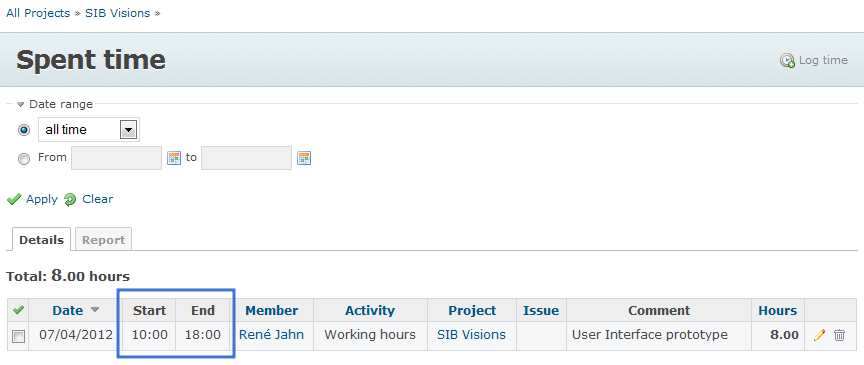
We use it for our internal quality management, as project documentation system and for time tracking. The time tracking feature is good but has some limitations. It is not possible to enter start/end time, only hours are possible.
Why we need start/end time?
The Austrian law defines that an official time recording, needs start and end time.
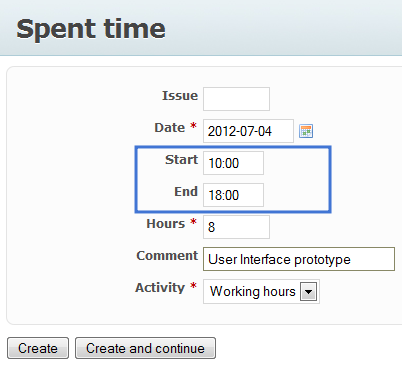
We found no plugin that offers the missing features, so we changed Redmine (2.0.3) to fulfill our needs. We added From/To input fields in the time tracking form, added a new permission for the time tracking module because only managers should see the time recordings of other users. A Developer or Reporter should not see time recordings of other users. It was not a lot of work, but it helps a lot 
Here are some screenshots:
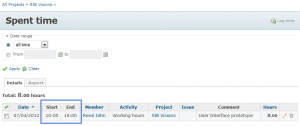 Time spent overview  New link |
|
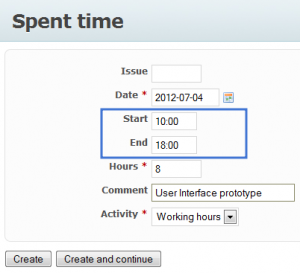 Spent time |
 New permission |
|
|
If you find our extensions useful or if you need the same features, leave us a comment.
Congratulations to Stefan Wurm for graduation!
He sent us his Master Thesis about JVx EE. It is a great documentation about the features and power of JVx EE. The document is in German.
Feel free to send us your comments.
The project is hosted on sourceforce and is available under Apache License 2.0.
I'm sure that some of you have already used custom swing controls in Forms applications to enrich them. But have you tried to use JavaFx together with your Forms application?
JavaFx has cool effects, animations, controls, css styling and much more.
If you enter 'oracle forms javafx' or similar, in your favourite search engine, you get no specific results. So I think it is time to integrate JavaFx to an Oracle Forms application, isnt't it?
- It is a world premiere -
First, a screenshot:
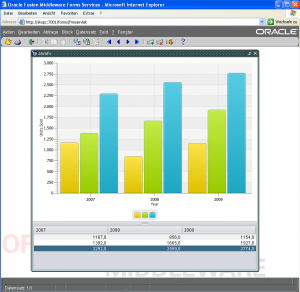
Oracle Forms and JavaFx
We used the source code from the official example, that integrates JavaFx in a Swing application.
The result of our integration is a screen that contains Swing and JavaFx controls. If you change a value in the table, the chart is updated immediately. It is really cool because the chart has nice transition effects.
You can combine rapid application development with modern controls and new development concepts.
The good old Oracle Forms UI does not look really cool. Of course, you can use nice icons and choose the right colors, but the controls are not fancy compared to swing controls.
If you try to to migrate from Oracle Forms to Java, wouldn't it be great to migrate one screen after the other. Or better, create new screens with Java and integrate them in your existing Oracle Forms application. Use both technologies as long as is necessary.
Don't think that you have to migrate the whole Oracle Forms application, migrate step by step. It is absolutely possible to use your new screens in your Oracle Forms aplication or as separate application without Forms. Save time, money and don't replace your existing Oracle Forms developers.
You would like to see how this can look like?
The first screenshot shows a standard Java swing application, with a simple master/detail and some editors:
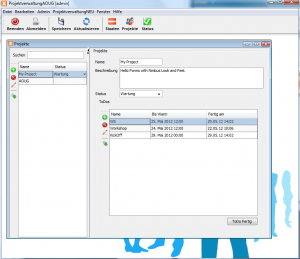
JVx Swing UI
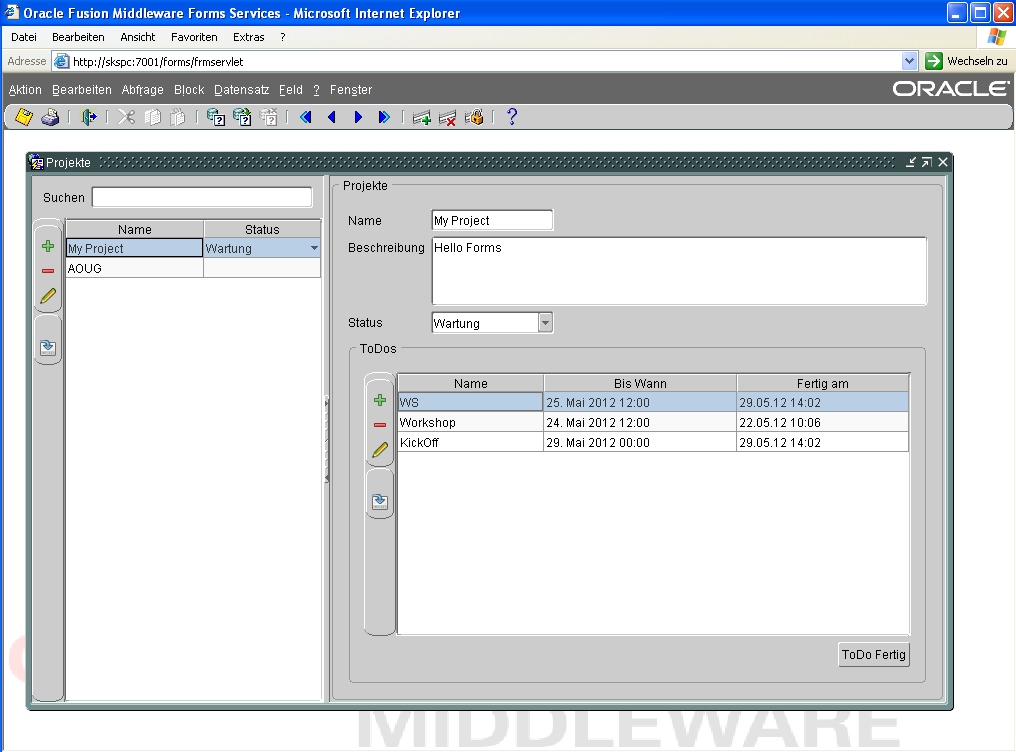
The next screenshot shows the same screen (without source code changes) used in an Oracle Forms application:
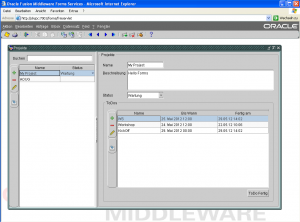
Forms with Java screen
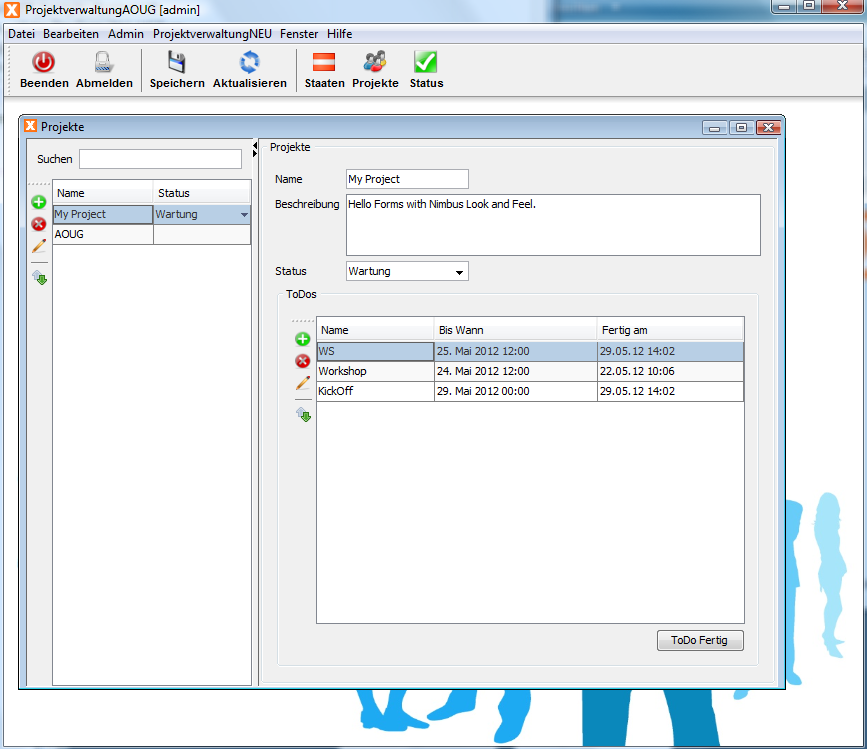
You are right, it is great to embedd the same Java screen, but the Look and Feel is not very cool. Do you know that Java has some nice LaF's? Here is the same screen with Nimbus Look and Feel:
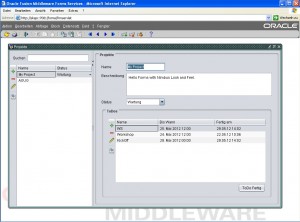
Oracle Forms Nimbus LaF
Our new project is created and we are preparing the source upload.
What is JVx EE?
It's the integration of JPA 2.0 in JVx. Create professional backend software with JVx and use your domain model which is already available in your Java EE based web application. With JVx EE you can use the configured EntityManager and JPA implementation of your web application. Reuse your existing DAOs or EAOs without changes in your application.
With JVx EE it is possible to create a standard JVx application that is connected to your domain model, e.g.:
JPAStorage jpaAddress = new JPAStorage(Address.class);
jpaAddress.setEntityManager(getEntityManager());
jpaAddress.open();
or with a custom EAO
CustomerEAO eaoCustomer
= new CustomerEAO
();
eaoCustomer.
setEntityManager(getEntityManager
());
JPAStorage jpaCustomer = new JPAStorage(Customer.class);
jpaCustomer.setEntityManager(getEntityManager());
jpaCustomer.getJPAAccess().setExternalEAO(eaoCustomer);
jpaCustomer.open();
Do you need a professional backend application for your existing web frontend? Use JVx and your problems are solved. You get all advantages of JavaEE in your JVx application.
JVx EE is licensed under Apache License 2.0.
Do you have any questions? Let me know.
We were never asked what JVx means, neither on conferences nor via social media - until yesterday!
So we simply reveal the secret.
JVx stands for: Java Application extension
Why not JAx?
JAX is a well-known conference about Java, so we were a little creative and turned the A to a V.
We used Hudson for nightly builds since the first day of JVx. The hudson server was an internal server, so the reports were "private". We have never liked it!
Since 1 May are the reports now publicly available. Check it out:
https://dev.sibvisions.com/jvx.nightly/
You see the JUnit test reports, Checkstyle reports, Code Coverage reports and FindBugs reports.
And we now use Jenkins instead of Hudson 
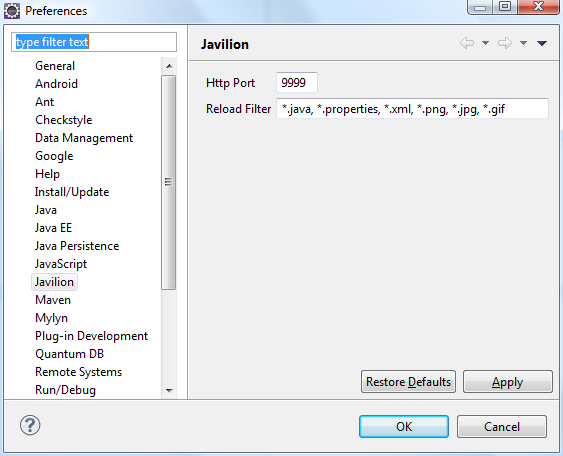
The current Javilion release 1.2.0 allows configuration via Preferences or Project properties. Now it is very easy to change the http port or to configure automatic reloads by file extension. With the old version, you had to change the .project file manually.
If you use the port parameter with Javeleon, no automatic reload is executed. The old Javilion plug-in sent a reload event after a java file was changed, but that was a bug. With the current version, you can configure, for which file extension you want to send a reload event.
The configuration is saved per project.
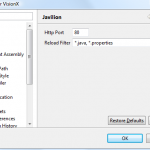 Project properties |
|
Open the project properties (right click on the project / Properties) and be sure that Javilion nature has been added to your project!
Otherwise it is not possible to change the configuration. |
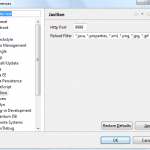 Preferences |
|
Open the preferences (Window / Preferences) and set the default values!
The default values are used when you Reset the settings in your project setup.
|
Have fun
Use the following URL to install SIB Visions Eclipse Plug-ins:
http://eclipse.sibvisions.com/update
The above URL is the official SIB Visions Eclipse Updatesite.
If you use Javeleon for JVx applications and your preferred IDE is Eclipse, check out our new Eclipse plugin. It is the inofficial Javeleon plugin for Eclipse. The name of the plugin is Javilion Plugin. It is available on SourceForge and it is released under Apache License 2.0.
The plugin has two helpful features:
- Reload Javeleon manually
Simply reload Javeleon whenever you want.
- Automatic Reload after resource file update
The current Javeleon version(s) does not reload when you change a resource file like .properties, .xml, ... If you enable the Javilion plugin in your Eclipse project, reload happens automatically.
If you want to use the plugin, use the following instructions, because we have not setup an updatesite right now!
- Download the plugin
- Copy the jar to the dropins or plugins directory of your Eclipse installation
- Restart Eclipse
- Add Javilion nature to your project: right mouse click on your project, Javilion/Add nature
- Right click on your project to verify that Javilion is added:

Popup menu
- Configure your application run configuration and add the port property to your javaagent, e.g.:
-javaagent:D:\javeleon.jar=nbjdk=default;profile=java;port=9999
The port 9999 is the default setting. If you need another port, configure it in your .project file:
<buildCommand>
<name>com.sibvisions.eclipse.javilion.JavilionBuilder</name>
<arguments>
<dictionary>
<key>port</key>
<value>1234</value>
</dictionary>
</arguments>
</buildCommand>
It is a little bit tricky, because we don't have a configuration UI for the plugin right now.
If you use the plugin together with a Javeleon ReloadListener (-Djaveleon.reload.listener=app.MyListener), you feel the full power of Javeleon.


 Tools | rjahn | 05/07/2012 |
  Comments (5)



 RSS-Feed