 |
|
Unser Produkt VisionX verhalf uns zu einem Artikel in der aktuellen Computerwelt, TOP 1001.
Darin erklärt der Autor auf eindrucksvolle Weise wie KMUs von VisionX profitieren können. Der Artikel bezieht sich auf die Zielgruppe kleine und mittelgroße Unternehmen, doch das Prinzip kann auch auf große Unternehmen übertragen werden.
Falls die aktuelle Ausgabe der Computerwelt nicht zur Hand ist, kann der Artikel auch hier nachgelesen werden. |
Impressions
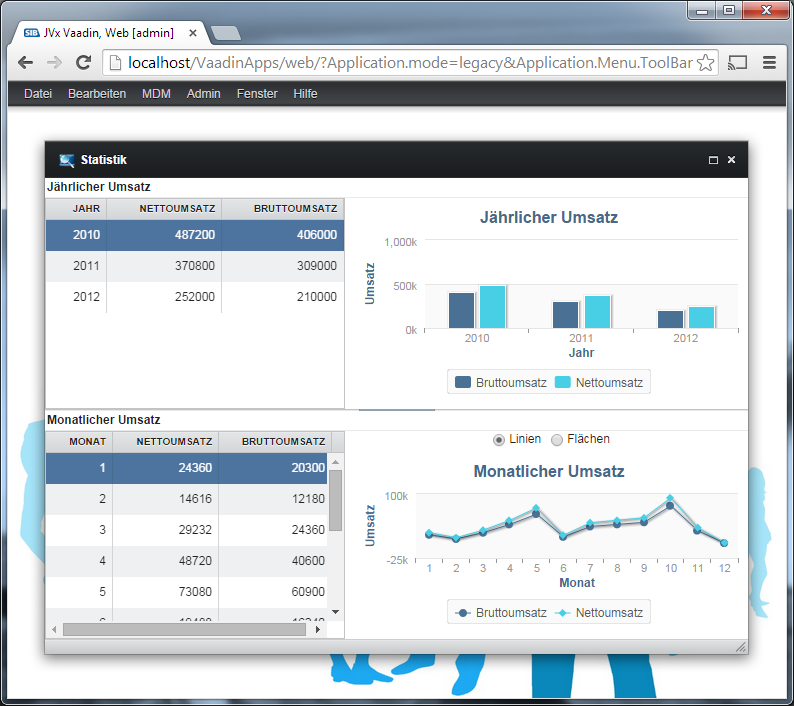
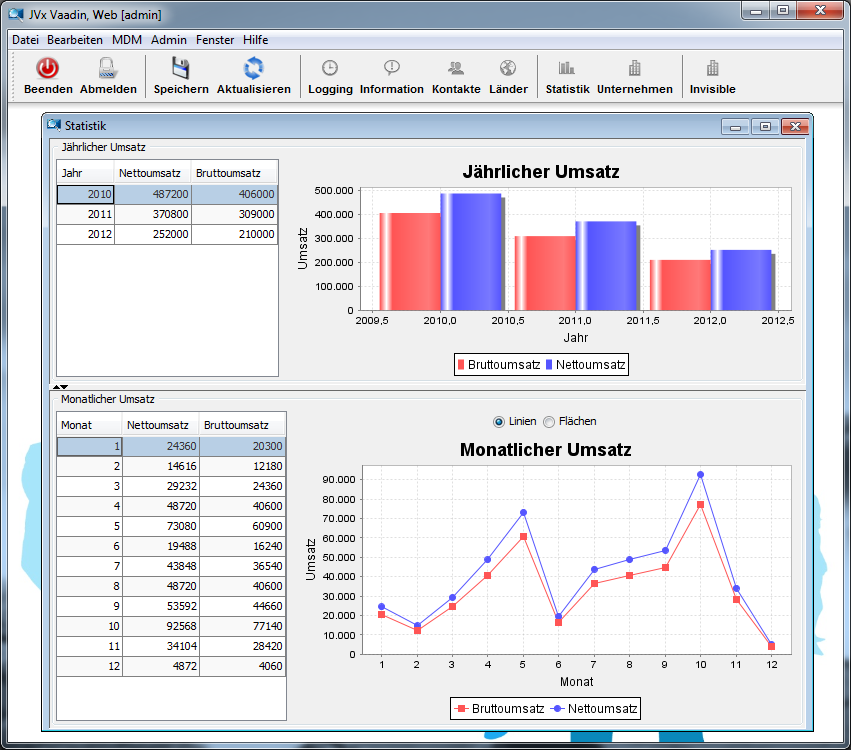
The first image shows the legacy mode of our standard application style (check last image). It turns a SDI application to MDI - without coding or re-deployment. Simply awesome 
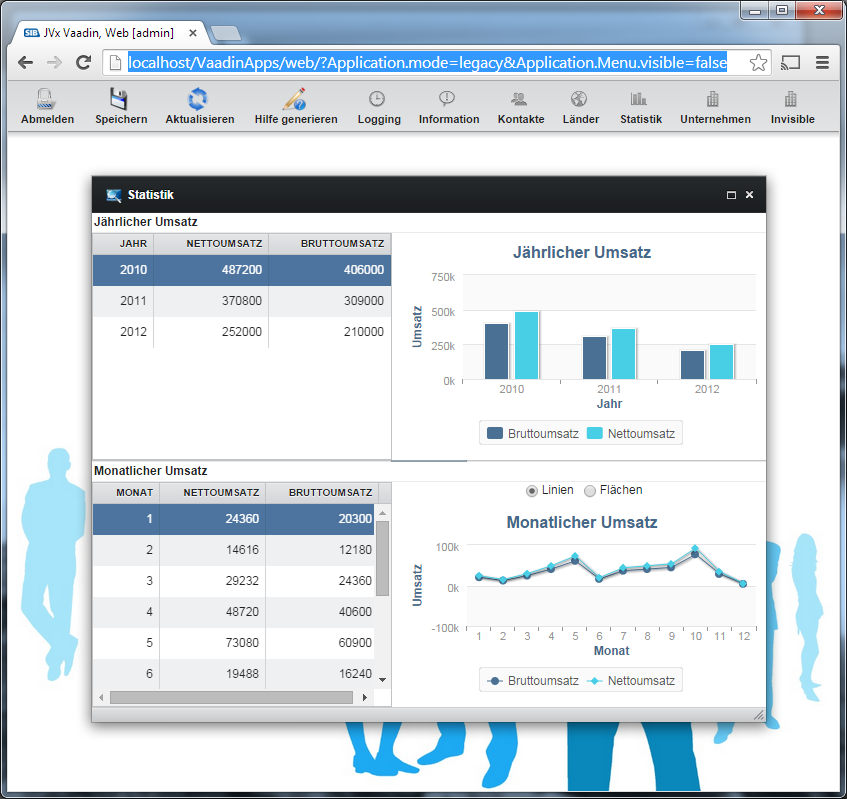
The second image doesn't use a toolbar and the third one is without a menubar. Not all applications need multiple navigation elements, known from desktop applications.
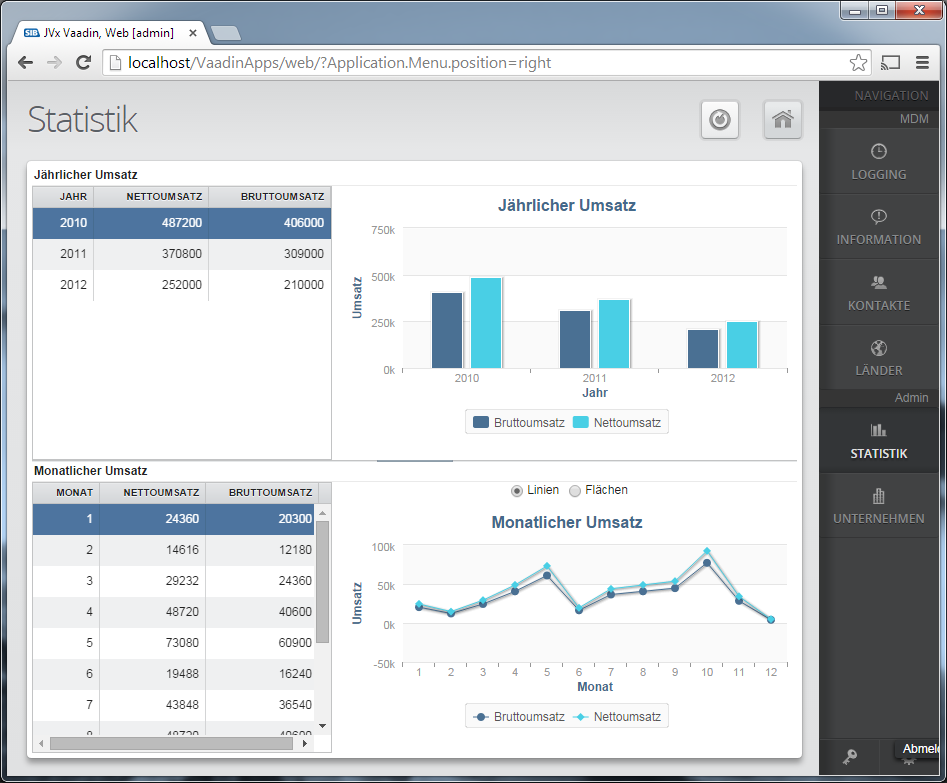
The fourth image shows, what we prefer.
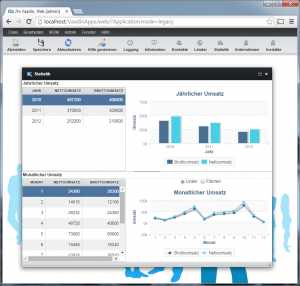 Legacy mode (MDI) |
|
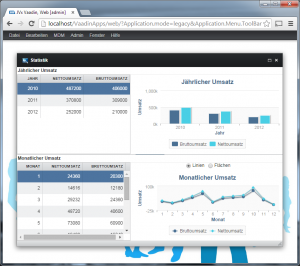 Legacy mode (no toolbar) |
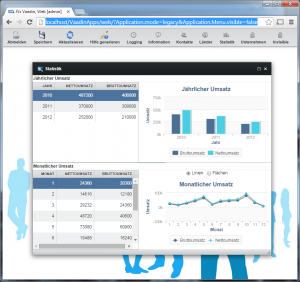 Legacy mode (no menubar) |
|
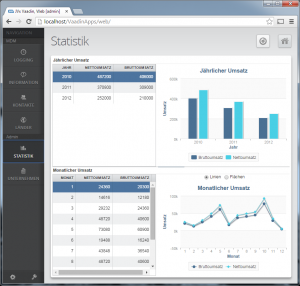 Modern mode (SDI with popups) |
One more 
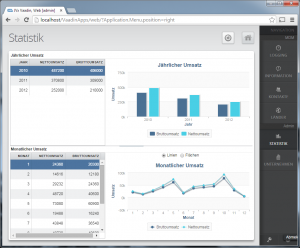
Modern style (menu right)
[Update]
The same application with Swing UI
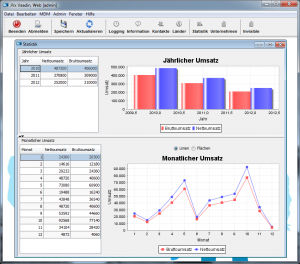
Swing UI
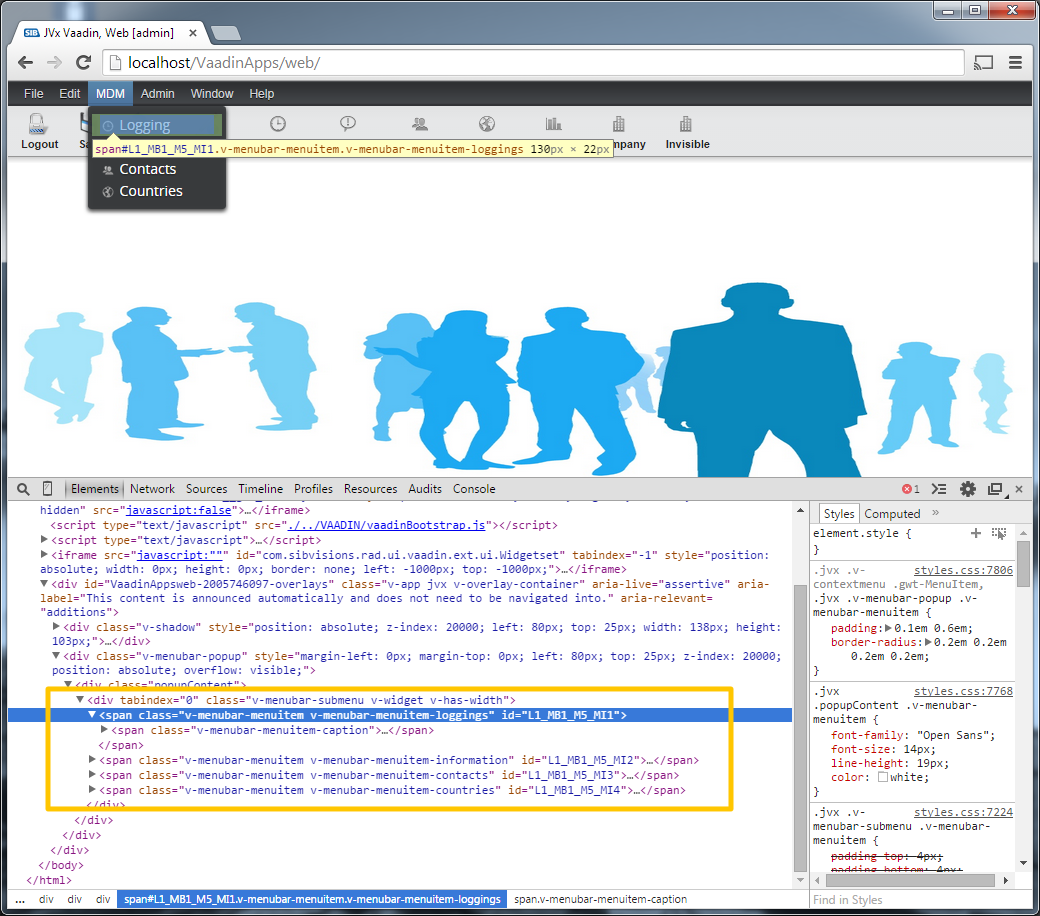
It's a shame but Vaadin doesn't have built-in support for setting an ID on menu items. There are several tickets about this problem: http://dev.vaadin.com/ticket/3873, http://dev.vaadin.com/ticket/11307, http://dev.vaadin.com/ticket/14294
BTW, the whole menu solution is a little bit tricky and wrapped.
There are no excuses - a web technology should fully support web concepts. We tried to touch menu items, by ID, during our UI test automation efforts. It wasn't a problem to find an xpath for accessing menu items, but... it's a principle thing.
It was a nice task to implement ID support for menu items. We found a "general" solution - it's still a workaround, but as long as vaadin doesn't support it, it might help you.
Summarized
Extend server-side MenuBar and add a map for menuitem ids. Send the map to the client and add the id to the matching menu item. The client-side needs an extended VMenuBar and an extended MenuBarConnector.
We've used MenuBar for caching ids because it wasn't possible to extend menu item handling and MenuBar already has a connector.
An example
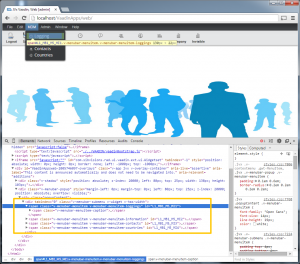
Menuitem IDs
Details
The implementation is available in our Vaadin UI implementation. Simply use following classes:
MenuBar
VMenuBar
MenuBarConnector
And don't forget the replacement mappings for your widgetset before you start the compiler:
Widgetset replacements
The solution was built with vaadin 7.1 but we checked the implementation in 7.3.0 and it didn't change. So our workaround should work without problems.
We didn't need a lot LoC to solve the problem and it should be easy for you to understand what we did. If you want to know more details - simply ask.
Usage
A short code snippet:
MenuBar bar
= new MenuBar();
MenuItem miInsert = bar.addItem("Insert");
MenuItem miUpdate = bar.addItem("Update");
bar.setId(miInsert, "mi_insert");
bar.setId(miUpdate, "mi_update");
As written before, it's not possible to set the ID on the item because of original implementation in vaadin. Don't use getId of menu item because this will return the "internal" id.
Keep coding
It's not a problem to automate GUI tests, nowadays. There are different approaches and tools. A nice tool overview is available on wikipedia.
The tools have different techniques to perform tests. On technique is sending/simulating mouse clicks to components. The problem is that the GUI shouldn't be changed between tests and you should use a special test environment/system. Another technique is tricky but there's a nice implementation from MIT. It works with image recognition. And finally there's a solution based on unique component identifiers.
We like the last technique, based on unique component identifiers because it allows changing the UI without changing test cases - we love flexibility. The only problem with JVx was that we didn't have unique identifiers and a developer won't set an identifier for every component. We didn't have a mechanism to create unique identifiers... BUT now... we have.
With upcoming JVx releases, it will be possible to test GUIs automatically based on unique identifiers. This identifiers will be available also for VaadinUI. Another advantage for VaadinUIs will be that the id could be used for styling via CSS.
There are still some todos for us but we're happy to be able to show you some examples.
We made some test-cases with different test tools. To test our VaadinUI, we use Selenium together with PhantomJS.
The source code might look like this one:
public class TestCaseB
{
private static final int TIMEOUT_IN_SECONDS
= 10;
private static final String TIMEOUT_IN_MILLISECONDS_AS_STRING
=
Integer.
toString(TIMEOUT_IN_SECONDS
* 1000
);
private WebDriver driver;
private Selenium selenium;
@Before
public void setUp()
{
driver = configureDriver(createPhantomJsDriver());
String baseUrl = "http://localhost:8080/";
selenium = new WebDriverBackedSelenium(driver, baseUrl);
selenium.setTimeout(TIMEOUT_IN_MILLISECONDS_AS_STRING);
}
@Test
public void testDemoerptest()
{
selenium.open("/VisionX.Server/app/web/ui/DemoERP/");
waitForPage();
selenium.type("id=UserName", "admin");
selenium.type("id=Password", "admin");
selenium.click("id=OK");
waitForPage();
selenium.click("id=DemoERP_P1_P1_P2_B1");
waitForPage();
selenium.click(
"//div[@id='NavigationTable']/div[2]/div/table/tbody/tr[2]/td[2]/div");
selenium.click(
"//div[@id='NavigationTable']/div[2]/div/table/tbody/tr[3]/td[2]/div");
selenium.click(
"//div[@id='NavigationTable']/div[2]/div/table/tbody/tr[2]/td[2]/div");
selenium.click(
"//div[@id='NavigationTable']/div[2]/div/table/tbody/tr/td[2]/div");
selenium.click("id=DemoERP_P1_P1_P2_B2");
waitForPage();
selenium.click(
"//div[@id='NavigationTable']/div[2]/div/table/tbody/tr[2]/td/div");
selenium.click(
"//div[@id='NavigationTable']/div[2]/div/table/tbody/tr[3]/td/div");
selenium.click(
"//div[@id='NavigationTable']/div[2]/div/table/tbody/tr[4]/td/div");
selenium.click("id=DemoERP_P1_P1_P2_B3");
waitForPage();
selenium.click("xpath=(//button[@type='button'])[7]");
waitForPage();
}
@After
public void tearDown()
{
driver.quit();
selenium.stop();
}
private WebDriver configureDriver(WebDriver pWebDriver)
{
pWebDriver.manage().timeouts().implicitlyWait(TIMEOUT_IN_SECONDS,
TimeUnit.SECONDS);
pWebDriver.manage().timeouts().pageLoadTimeout(TIMEOUT_IN_SECONDS,
TimeUnit.SECONDS);
pWebDriver.manage().timeouts().setScriptTimeout(TIMEOUT_IN_SECONDS,
TimeUnit.SECONDS);
pWebDriver.manage().window().setSize(new Dimension(1920, 1080));
return pWebDriver;
}
@SuppressWarnings("unused")
private WebDriver createChromeDriver()
{
ChromeOptions options = new ChromeOptions();
options.addArguments("-incognito");
return new ChromeDriver(options);
}
private WebDriver createPhantomJsDriver()
{
DesiredCapabilities capabilities = new DesiredCapabilities();
capabilities.setCapability(
PhantomJSDriverService.PHANTOMJS_EXECUTABLE_PATH_PROPERTY,
"D:\\opt\\phantomjs\\phantomjs.exe");
return new PhantomJSDriver(capabilities);
}
private void waitForPage()
{
selenium.waitForPageToLoad(TIMEOUT_IN_MILLISECONDS_AS_STRING);
}
}
We use FEST (doc) for Swing UIs. The library is old (like Swing) but still works!
A very simple example with FEST:
public class TestUI extends FestSwingTestCaseTemplate
{
private FrameFixture window;
@After
public void cleanItUp()
{
super.cleanUp();
}
@Before
public void setUp()
{
super.setUpRobot();
UIFactoryManager.getFactoryInstance(SwingFactory.class);
WorkScreenCreatingGuiQuery query = new WorkScreenCreatingGuiQuery();
Frame frame = GuiActionRunner.execute(query);
window = new FrameFixture(robot(), frame);
window.show();
query.afterShow();
}
@Test
public void testTheUIStuff()
{
// Check if the editor does have the correct value.
// The WorkScreen does select the first line for us.
Assert.assertEquals("John Smith",
window.textBox("UITWS_E_TESTDATABOOK_NAME").text());
// Select the next line in the table.
window.table("UITWS_T_TESTDATABOOK").selectRows(1);
Assert.assertEquals("Ian McIrish",
window.textBox("UITWS_E_TESTDATABOOK_NAME").text());
// Select the tab that has that TextField-Button-Label combo on it.
window.tabbedPane("UITWS_TP1").selectTab(1);
window.tabbedPane("UITWS_TP1_P2_TP1").selectTab(2);
// Enter something into the textfield, press the button and the label
// should now have the same text.
window.textBox("UITWS_TP1_P2_TP1_P3_P1_TF1").setText("This is an automated test.");
window.button("UITWS_TP1_P2_TP1_P3_P1_B1").click();
Assert.assertEquals("This is an automated test.",
window.label("UITWS_TP1_P2_TP1_P3_P1_L2").text());
}
private static final class WorkScreenCreatingGuiQuery extends GuiQuery<Frame>
{
private UIFrame frame;
private WorkScreen workscreen;
void afterShow()
{
// Important so that everything gets a name.
// There is a window constructed, but outside of the JVx scope.
frame.addNotify();
workscreen.notifyRepaint();
}
@Override
protected Frame executeInEDT() throws Throwable
{
frame = new UIFrame();
workscreen = new UITestingWorkScreen();
frame.add(workscreen);
return (Frame) frame.getResource();
}
private String dumpStructure()
{
return dumpStructure(frame, 1);
}
}
}
Wer schon immer mal wissen wollte wie man den Spagath zwischen Oracle Forms und Java hin bekommt, dem sei der Artikel 'Schnell entwickeln - die Vorteile von Forms und Java vereint' wärmstens empfohlen. Der Artikel wurde im Magazin JAVAaktuell, Ausgabe 04-2014, veröffentlicht.
Anhand der Oracle Forms Summit Application wird dargestellt wie eine Umsetzung mit Java möglich wäre. Es wird auch gezeigt wie Java in Forms eingebettet werden kann und wie die Java Applikation als HTML5 Lösung aussieht.
Das wichtigste ist jedoch das man Oracle Forms nicht von heute auf morgen ablösen muss, sondern eine sanfte Migration durchführen kann.
Der Artikel ist sowohl für Oracle Forms Entwickler als auch für Java Entwickler die mit Oracle in Berührung kommen interessant.
Wer das Magazin nicht zur Hand hat, kann den Artikel auch von hier laden und sofort lesen.
A new demo application is available for VisionX.
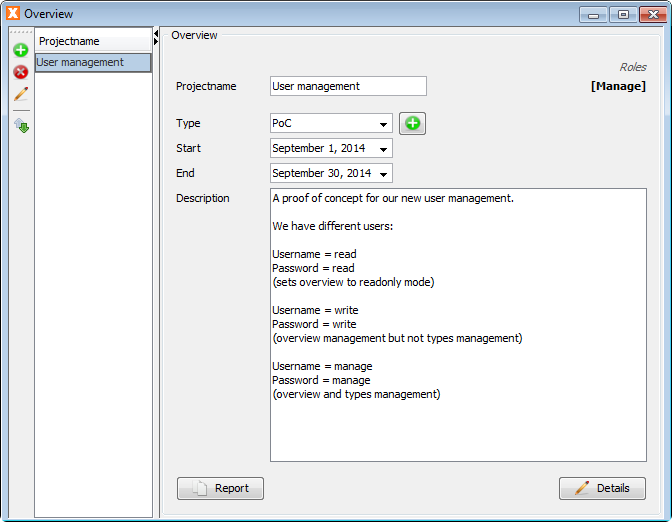
It's a very simple application that demonstrates the user and role capabilities of VisionX.

Ready made solution
The application has two screens: Overview and Project types.
The overview screen has three buttons:
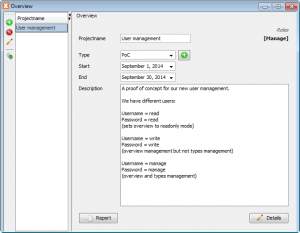
Overview screen
The buttons Report and Details are not enabled for users with role Read. The Add button near type field only is visible for users with Manage role. If a user has Read role, the window title will contain (readonly). The assigned user roles will be shown beside the project name.
Our first Eclipse Plugin for JVx and VisionX will be available in a few weeks. We're feature complete and are in the internal test phase. We're extremely surprised about the productivity boost. With VisionX it's currently possible to create and deploy professional database applications in few minutes. The development process is super fast because of VisionX and some really useful features like Action wizard and GUI designer. The missing piece was the IDE integration. It was possible to use Eclipse as IDE to modify VisionX applications, live and bidirectional. The only problem was that it was not easy to find the right line of code or member to do modifications. It wasn't a big problem but it was a waste of time.
Our Plugin helps to save development time, again. The combination of VisionX with EPlug is awesome.
The name of the Plugin is EPlug (not very creative but simple). It will be available in different editions: Lite, Pro and VisionX.
The Lite edition will be free and doesn't offer full power but will be useful.
The Pro edition won't have any limits but won't interact with VisionX.
The VisionX edition adds interaction to Pro edition. It will be possible to use VisionX to jump to Source Code in Eclipse and to show changes directly in VisionX (means live live).
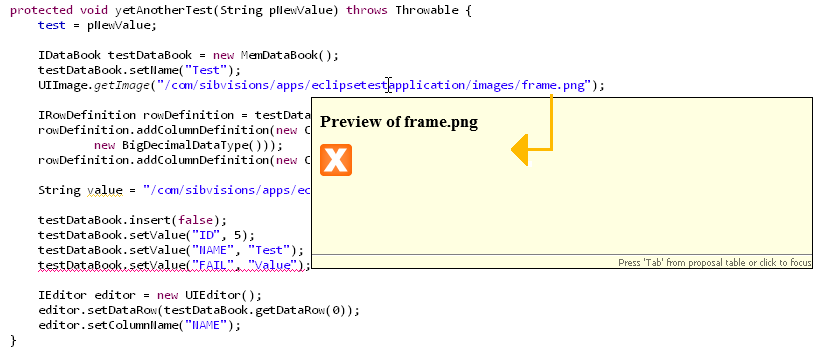
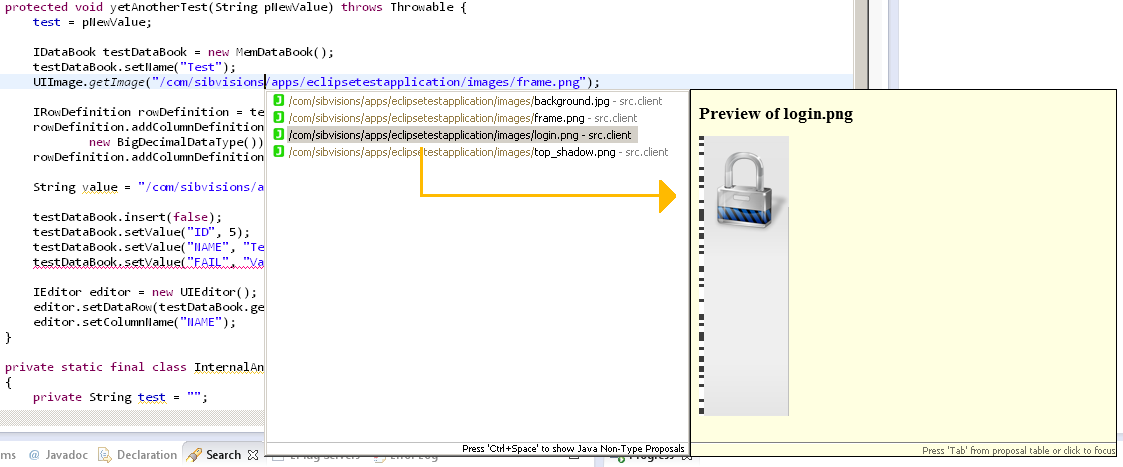
I've an amazing feature for you as screenshot:
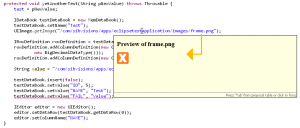 Preview image (hover) |
|
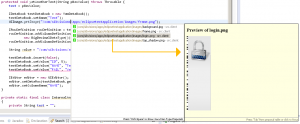 Preview image (completion) |
|
Really useful
At the end of the "new features" week, we'll introduce another great VisionX feature. It's the export of an application as desktop application.
What does desktop application mean?
VisionX usually creates 3-tier database applications. The GUI is separated from the business logic and decoupled from the database. The GUI usually runs on client machines, the business logic on application servers and the database could be on the same machine as the application server or could be a different server machine in your network. If you use our HTML5 launcher, the GUI and business logic will run on the application server. This means that the application seams to be 2-tier (Client/Server), but no worries the applications are always 3-tier.
A desktop application should/could work without an application server because it's overhead for some use-cases. This means that the desktop application contains the GUI and the business logic. It directly uses/connects to the database and you could say that such an application is a 2-tier Client/Server application. A desktop application needs manuall "installation" and manual updates. If you have small departments and/or don't have a lot of infrastructure/servers, a desktop application might fit perfectly.
VisionX?
All applications, created with VisionX, have an ant build file that makes it possible to create war files and do deployments. It's an easy task, for developers, to create a desktop application from the created files. It's enough to define the classpath that contains all libraries, use the right main class and add important start parameters. The steps are the same as for any other Java application.
But our applications have some additional features like an application help. This help can be created with VisionX and it's an online help based on vaadin. The integration of an online help into a desktop application makes the task a little bit tricky.
VisionX does all necessary steps for you and your desktop application will be ready after some seconds. The application is packed into a zip archive that contains an executable jar file (start via double click), a bat file for windows, a sh script for linux/mac and an exe file for windows. The installation is very easy because every modern OS is able to extract zip archives without additional tools.
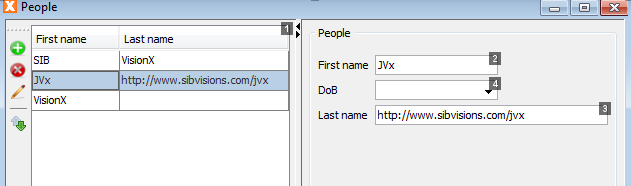
The next great feature of JVx is the customizable focus order.
The focus order defines the navigation between components via Tabulator or Enter. If you press Tab in an Editor with index 1, the focus will jump to the component (e.g. an Editor) with the next higher index. If you didn't define an index, the default focus order of Java will be used.
We introduced
in IComponent. This makes it possible to easily configure the focus order. We also have support for this new feature in VisionX. It's really helpful:
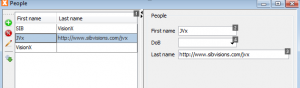
Set focus order
The designer shows the focus index and it's possible to set the index via customizer.
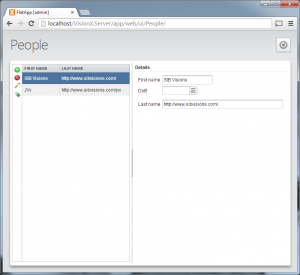
All our applications have a menu and a toolbar. This is great for backend applications but not always good for web frontends. Our web UIs have a different menubar, styled for web, but it's always visible. If you have simple web forms, you won't use a menu. We did some changes and have new options for applications without menu and toolbar
Some impressions with standard (backend) Desktop application and as (frontend) web application:
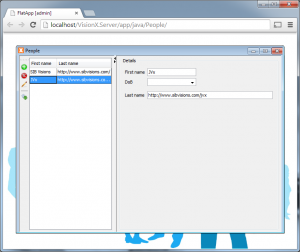 Backend application |
|
 Frontend application |
It's very simple to hide the menu. Simply set an application property via application.xml or directly via launcher - that's it. We changed our web menu and allow access to internal panels and components. It will be possible to hide buttons, change layouts, etc.
It's still possible to create your own, custom, application frame or extend our pre-defined frame. The new feature will be available in the next VisionX update.

 Media, News | rjahn | 19/09/2014 |
  Comments (0)





 RSS-Feed